Data Objects
Data objects store structured data independently from the output channel. They can be used anywhere in your project, whether you are building web pages, feeding an API, or generating a print catalog.
In this tutorial, you will create a simple product data model and then create a product object.
Create the Class Model
Go to Data Management > Data Model Definitions > Classes and click New.
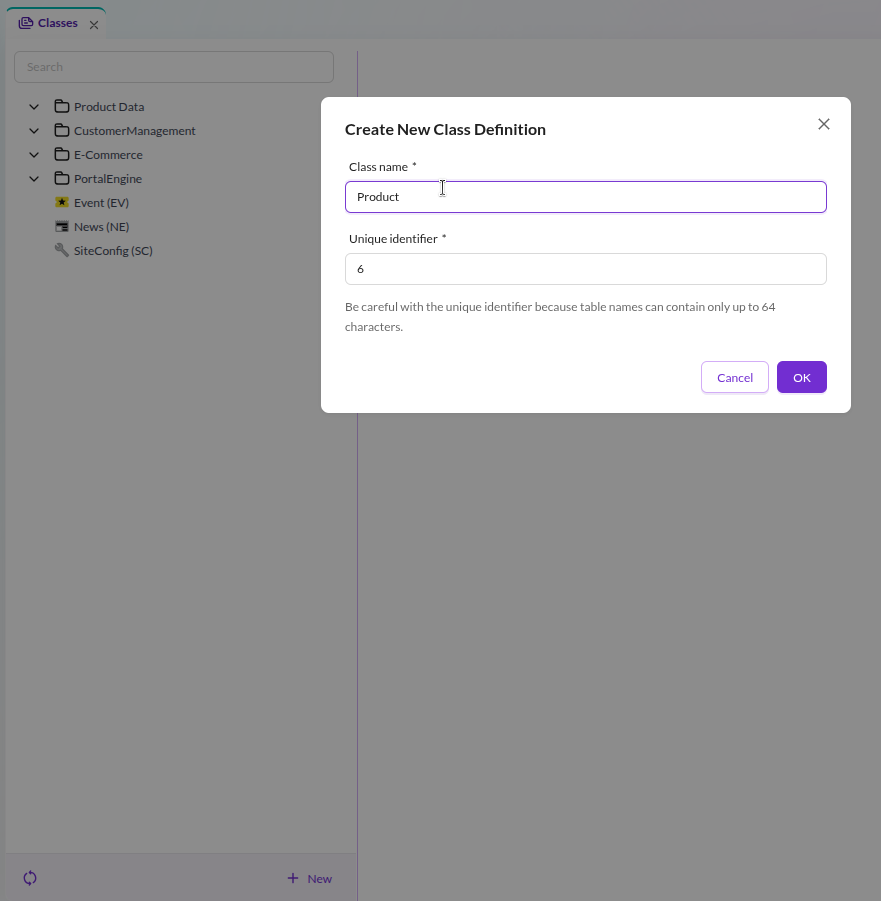

Name the class Product. This creates:
- A database schema for storing product data.
- A generated PHP class (
var/classes/DataObject/Product.php) with getters and setters for each attribute.
Define Attributes
The product should have four attributes: SKU, name, description, and picture.
Add them to the class definition:
- In the class editor, right-click on the Base node (the root of the layout tree) and select Add Layout Component > Panel. This is the main container for the product attributes.
- Right-click on Panel, then Add data component > Text > Input. Change the name to sku.
- Add another Text > Input and name it name.
- Add Text > WYSIWYG and name it description.
- Add Other > Image and name it picture.
The finished class definition should look like this:
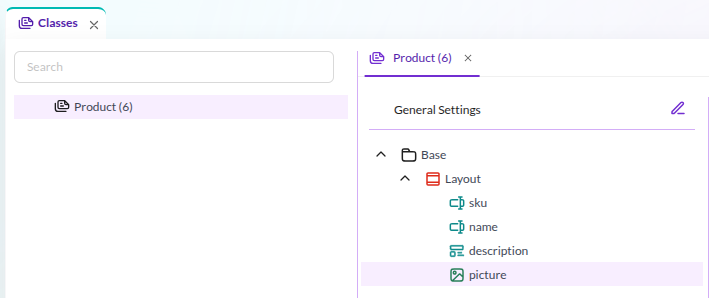

Click Save to persist the class definition.
Add a New Object
Now create a product using the class you just defined:
- Open the Objects panel on the left and right-click on Home (you can also create directory structures for organizing objects).
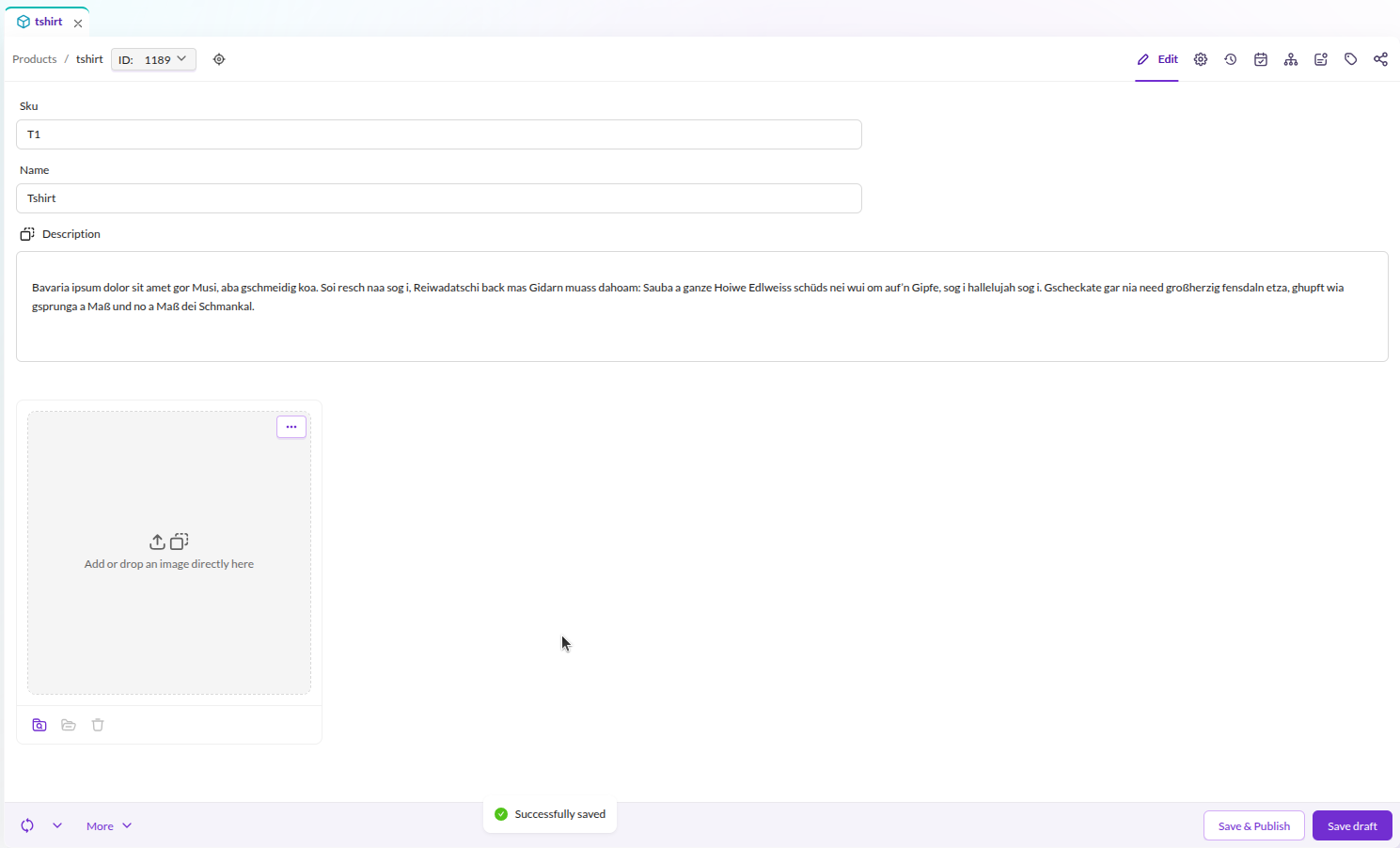
- Choose New Object > Product and enter a name, for example: tshirt.
- Fill in values for SKU, name, and description.
- For the picture attribute, either click the upload button or drag an asset from the Assets panel.
- Click Save & Publish.

For detailed information about data objects, classes, and data types, see the Objects documentation in the Pimcore Core reference.
In the next step, you will create CMS pages that display this product on the frontend.