Scheduling
General
Every element type (documents, data objects, assets) supports scheduled tasks:
- Publish - Publish the element
- Unpublish - Unpublish the element
- Delete - Delete the element
- Publish version - Publish a specific version (see Versioning)
If a data object is already published, the Publish action does not publish the latest unpublished version.
Use Publish version to publish a specific version instead.
Scheduled tasks require the Symfony Messenger worker to be running. Configure it with the pimcore_messenger
transport as described in the
Symfony Messenger setup guide.
Alternatively, run scheduled tasks directly via bin/console pimcore:maintenance -j scheduledtasks.
Usage
Open the Schedule tab on a data object in Pimcore Studio:
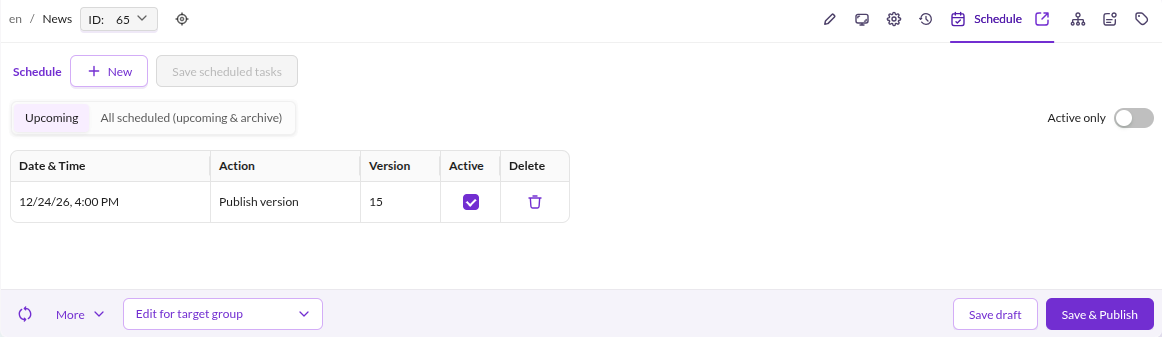

Click Add to create a new task row with these options:
dateandtime- When the task runsaction- Which operation to performversion- Only used with the Publish version actionactive- Indicates the task has not been processed yet
To schedule automatic publishing of an unpublished object, configure the task as shown:
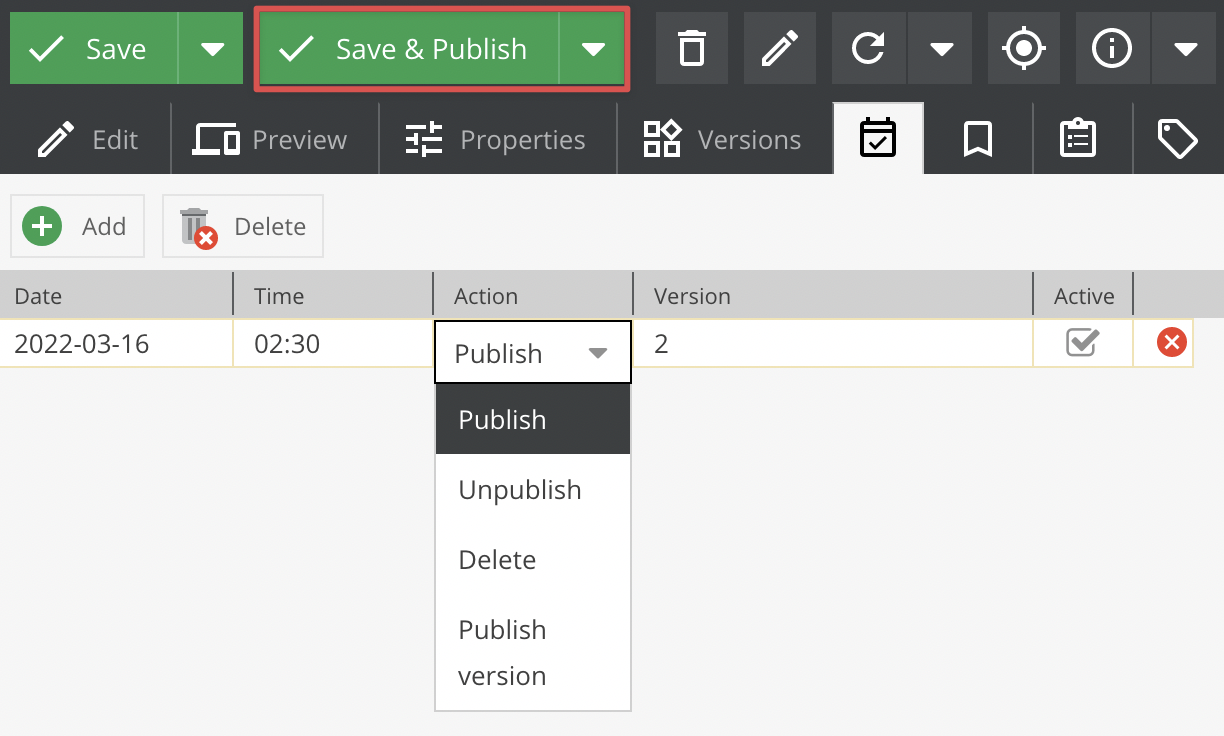

The resulting database entry:
`schedule_tasks`
# id, cid, ctype, date, action, version, active
'7', '76', 'object', '1474034700', 'publish', NULL, '1'
After the maintenance worker processes the task:
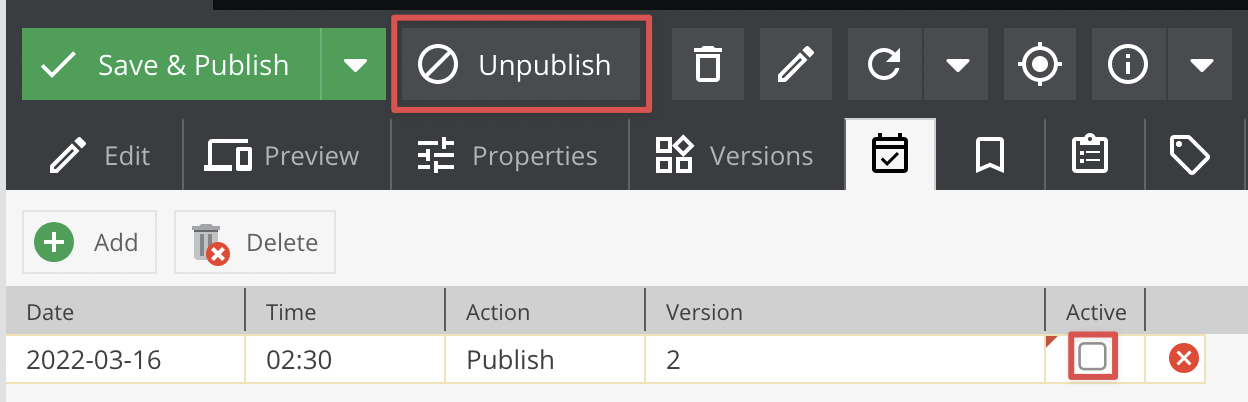

`schedule_tasks`
# id, cid, ctype, date, action, version, active
'8', '76', 'object', '1474034700', 'publish', NULL, '0'