Versioning
General
Pimcore versions all documents, assets, and data objects automatically. Every save creates a new version with no limit on retained versions unless configured otherwise.
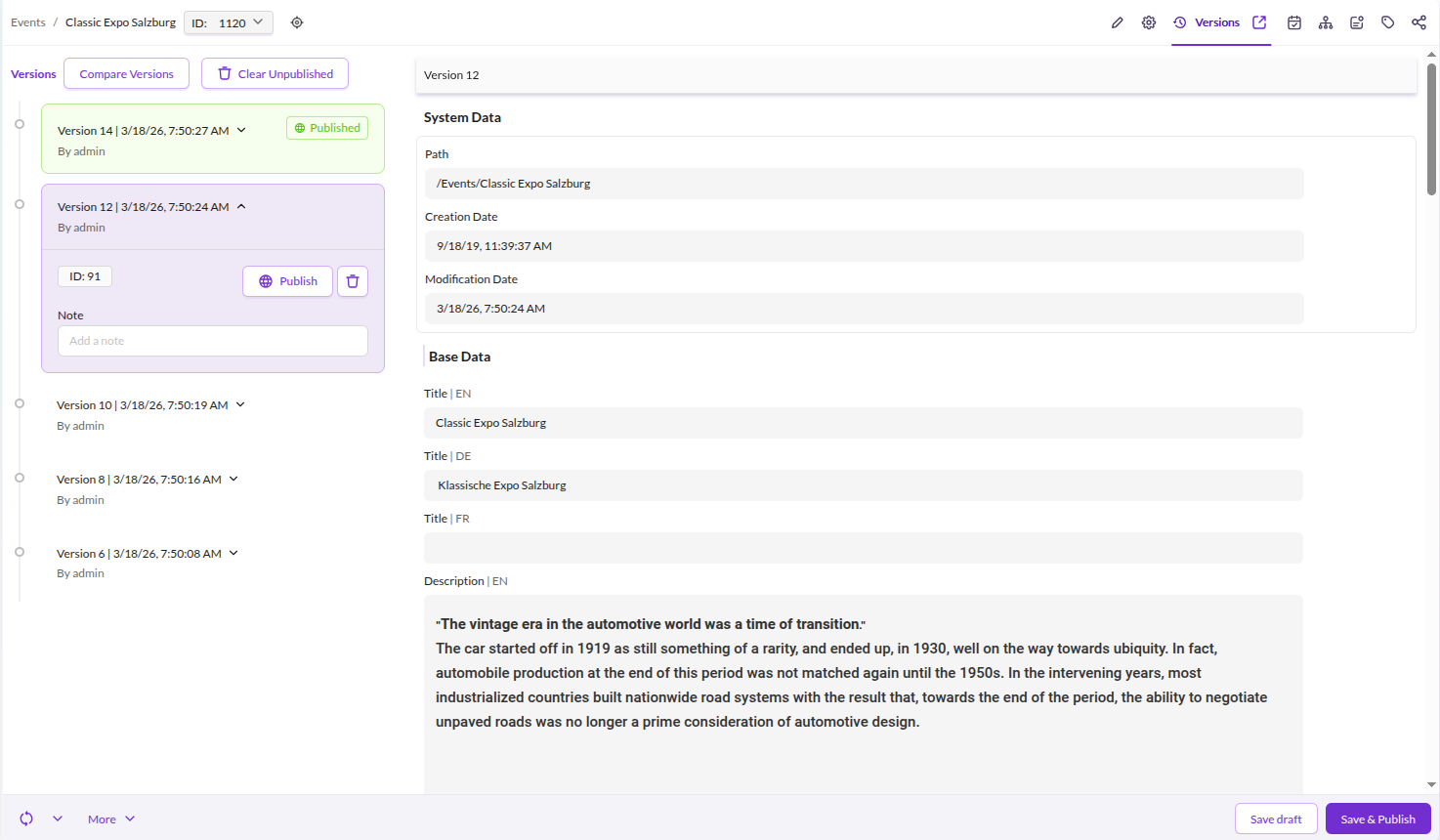
Open the Versions tab on any element to view the change history, compare revisions, and restore or publish a specific version.

Settings
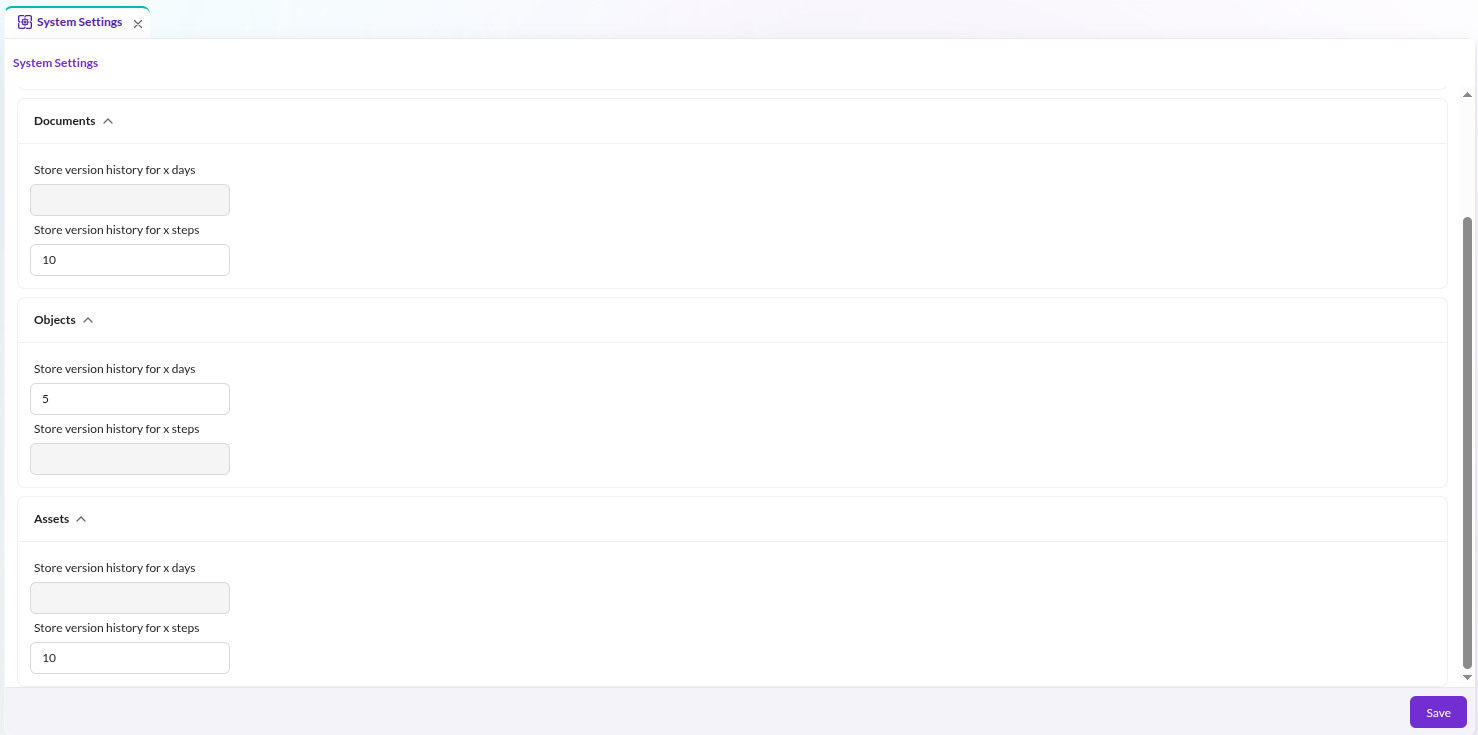
Configure the number of retained versions and the retention period in the system settings for Documents, Assets, and Objects within Pimcore Studio.

Stack Trace
Pimcore stores a stack trace in the database for each version. Disable this per element type:
pimcore:
    assets:
        versions:
            disable_stack_trace: true
    documents:
        versions:
            disable_stack_trace: true
    objects:
        versions:
            disable_stack_trace: true
A maintenance job (VersionsCleanupStackTraceDbTask) automatically removes stack traces older than 7 days.
Version Storage
Every version stores metadata and, if present, binary data. Since version data can grow quickly, Pimcore provides three storage strategies.
Configuration
Filesystem
This is the default. Store version data on the filesystem using FileSystemStorageAdapter:
Pimcore\Model\Version\Adapter\VersionStorageAdapterInterface:
    public: true
    alias: Pimcore\Model\Version\Adapter\FileSystemVersionStorageAdapter

Pimcore\Model\Version\Adapter\FileSystemVersionStorageAdapter: ~
Database
Store version data in a database using DatabaseVersionStorageAdapter.
Pass a configured Doctrine connection as an argument - this allows using a dedicated database for version data only:
Pimcore\Model\Version\Adapter\VersionStorageAdapterInterface:
    public: true
    alias: Pimcore\Model\Version\Adapter\DatabaseVersionStorageAdapter

Pimcore\Model\Version\Adapter\DatabaseVersionStorageAdapter:
    arguments:
        $databaseConnection: '@doctrine.dbal.versioning_connection'
The target database needs a versionsData table. Create it with:
CREATE TABLE `versionsData` (
  `id` bigint(20) unsigned NOT NULL AUTO_INCREMENT,
  `cid` int(11) unsigned DEFAULT NULL,
  `ctype` enum('document','asset','object') DEFAULT NULL,
  `metaData` longblob DEFAULT NULL,
  `binaryData` longblob DEFAULT NULL,
  PRIMARY KEY (`id`)
)
Delegate
Route version data to different storage backends based on size using DelegateVersionStorageAdapter.
When metadata or binary data exceeds the configured byteThreshold, the fallback adapter handles storage:
Pimcore\Model\Version\Adapter\VersionStorageAdapterInterface:
    public: true
    alias: Pimcore\Model\Version\Adapter\DelegateVersionStorageAdapter

Pimcore\Model\Version\Adapter\DelegateVersionStorageAdapter:
    public: true
    arguments:
        $byteThreshold: 1000000
        $defaultAdapter: '@Pimcore\Model\Version\Adapter\DatabaseVersionStorageAdapter'
        $fallbackAdapter: '@Pimcore\Model\Version\Adapter\FileSystemVersionStorageAdapter'

Pimcore\Model\Version\Adapter\FileSystemVersionStorageAdapter: ~

Pimcore\Model\Version\Adapter\DatabaseVersionStorageAdapter:
    arguments:
        $databaseConnection: '@doctrine.dbal.versioning_connection'
In this example, version data up to 1,000,000 bytes goes to the database; larger data falls back to the filesystem.
Disable Versioning for the Current Process
For bulk operations like imports or third-party synchronizations, disable versioning temporarily:
\Pimcore\Model\Version::disable(); // disable versioning for the current process
\Pimcore\Model\Version::enable(); // re-enable versioning for the current process
This only affects the current PHP process. The setting is not persisted and does not affect other requests.
Working with the PHP API
When saving elements programmatically, set userModification so the correct user appears in version history.
Set it to 0 to display system as the user:
$object->setUserModification(0);
$object->save();
Retrieve a Previous Version
$versions = $currentObject->getVersions();
$previousVersion = $versions[count($versions)-2];
$previousObject = $previousVersion->getData();