Document Localization
Pimcore allows you to localize every document. Each document carries a language property that determines its locale, which Pimcore uses automatically for shared translations, localized object lists, and all other localized content. This page covers how to set the document language, how to structure your site for multiple languages, and how to use the built-in localization tools.
Setting the Document Language
You can assign a language to any document in Pimcore Studio. Open the document and navigate to the Content Settings sidebar, where you can choose from the languages configured in the system settings.
The selected language is registered as a property on the document and inherited by all of its children.
When a language is set, Pimcore automatically applies it to the request object ($request->getLocale()). This means
shared translations, localized object lists, and all other locale-aware content pick up the correct language without
additional configuration.
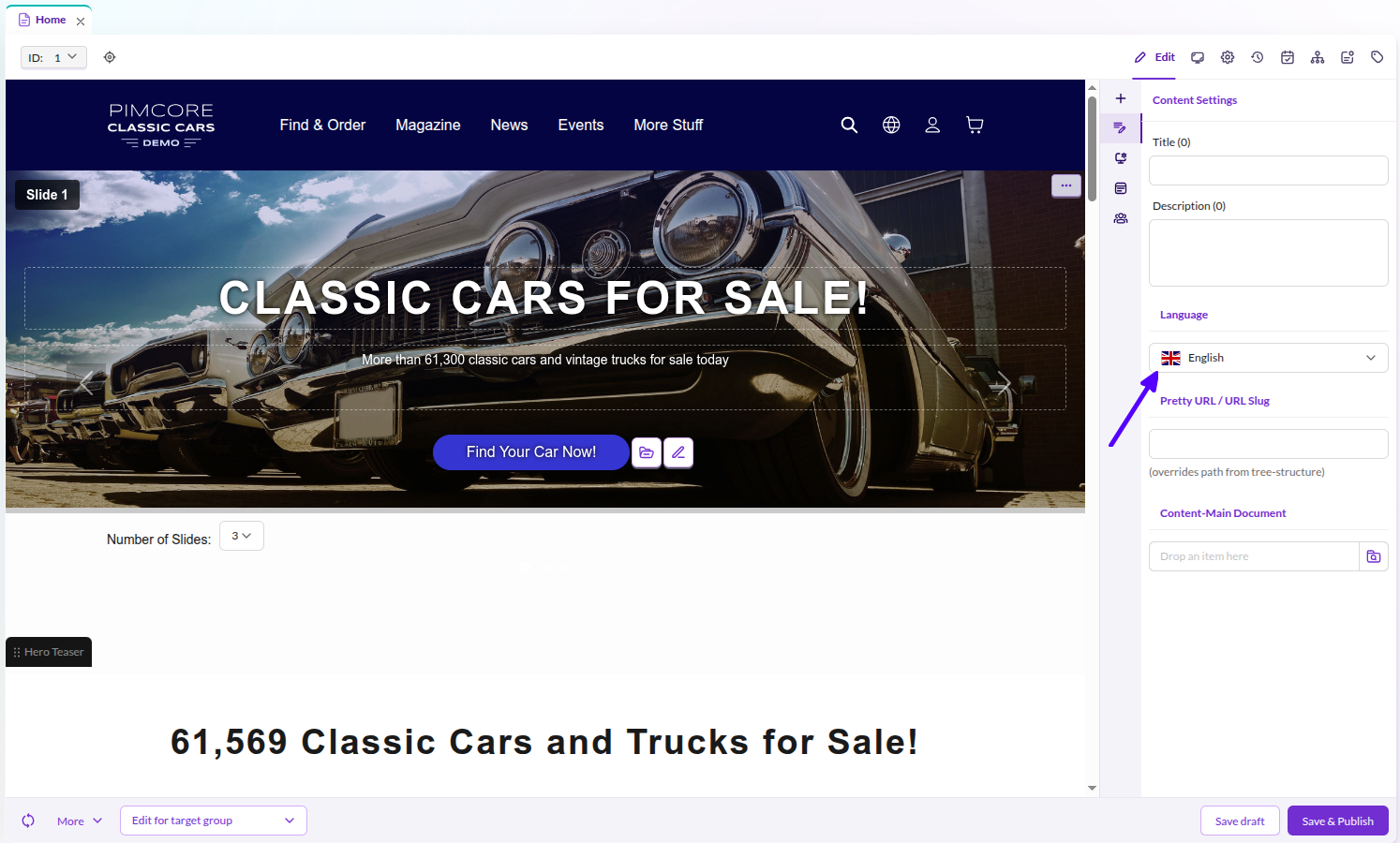

Since the language is a standard document property, you can access it like any other property:
// in your controller / action
$locale = $request->getLocale();
// or
$language = $this->document->getProperty("language");

// any document
$doc = \Pimcore\Model\Document::getById(234);
$language = $doc->getProperty("language");
{% set documentLanguage = document.getProperty('language') %}
Site Structure for Multi-Language Websites
Every document has one single language/locale assigned. Pimcore's best practice for building multi-language websites is to create a separate document subtree per language.
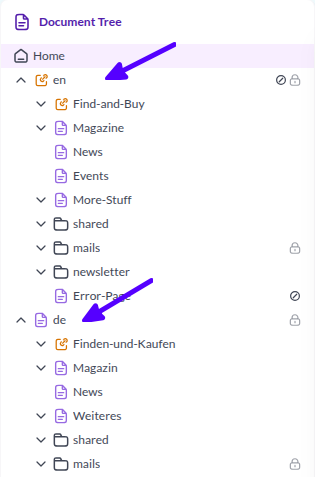

This approach provides several advantages:
- Localized document keys, URLs, and navigation structures
- Clear structure that makes it easy to find content in each language
- Transparent permission management based on the document tree
Pimcore provides two additional features to support editors in translating and managing documents for several languages: the Localization Tool and Content Inheritance.
Localization Tool
The localization tool for Pimcore documents supports creation and management of the same document for multiple languages. You can access it in the editor button row of every document in Pimcore Studio.
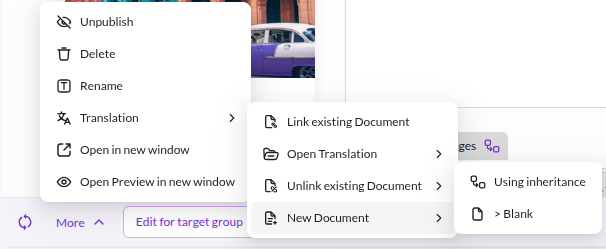

The localization tool supports the following features:
- Creating new documents for another language, either as an empty document or as a document using content inheritance (see below)
- Linking existing documents to establish the language link between documents
- Open Translation to quickly navigate to the corresponding document in another language
Content Inheritance
Content inheritance is a Pimcore feature that reduces duplicate data maintenance within documents. This feature is useful in multi-language document structures because it allows you to maintain language-independent content only once.
For details, see Document Inheritance / Content Main Document.
Using Translations in Templates
Once you have defined the language of your documents, you can use the Symfony trans filter in your Twig templates.
Pimcore uses the standard Symfony Translator component, so you can also access all translations provided by your
bundles. Use Shared Translations to manage predefined template content such as button
names and labels - everything that the template defines rather than what an editor enters.