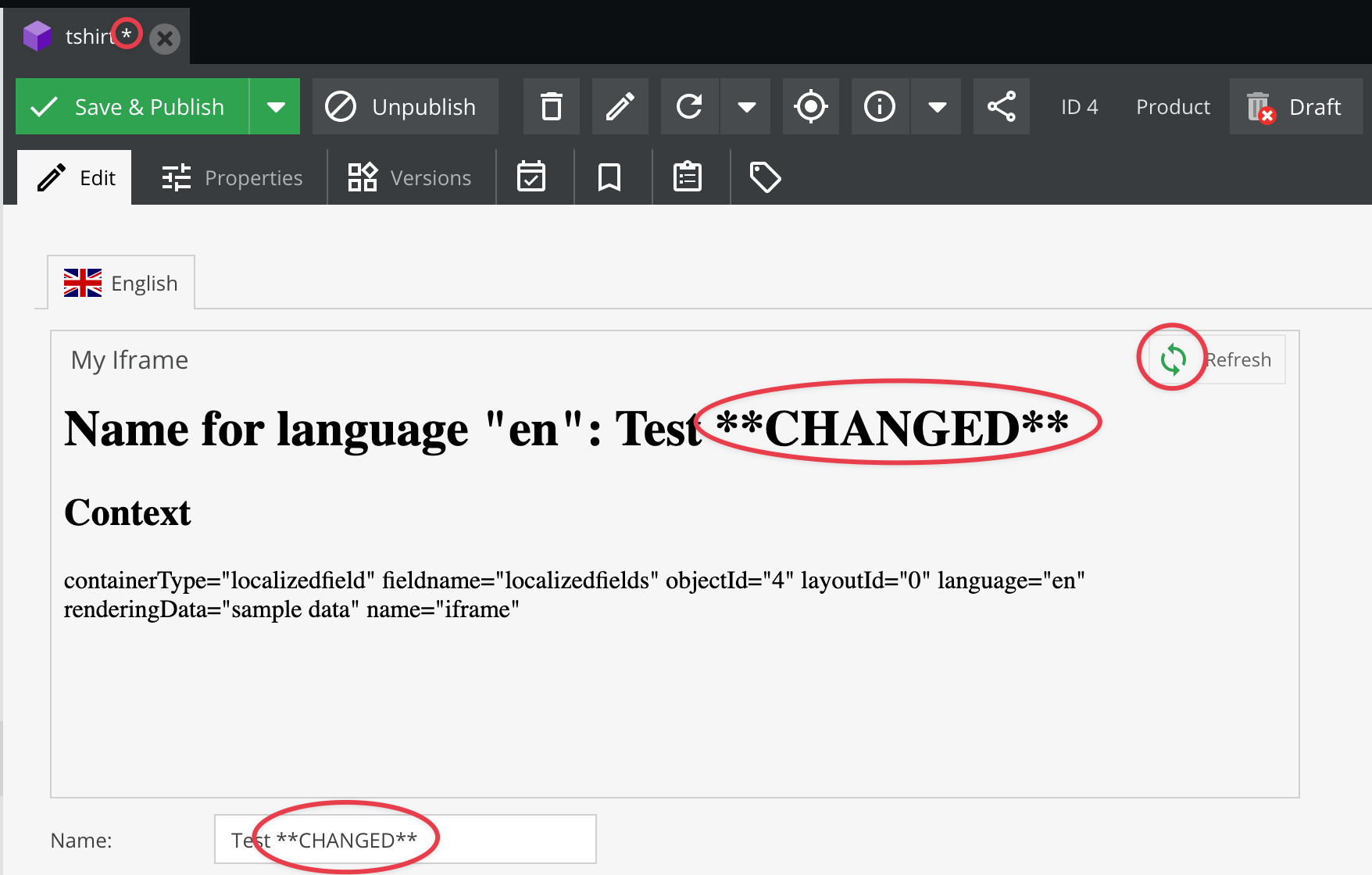
Preview / Iframe Panel
Provide a URL and make use of the context parameter to render a response of your choice.
Class Configuration
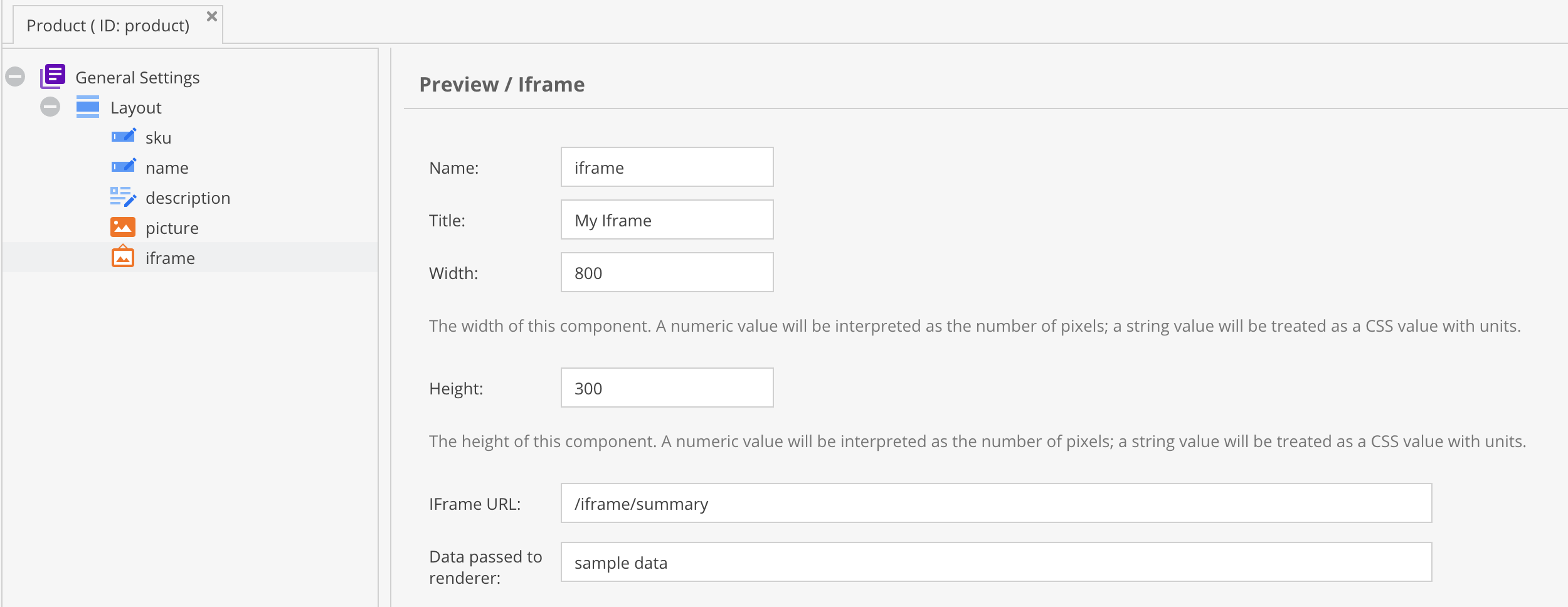

Provide any freely selectable string to add to the context information. See the output of the example below.
Sample Controller Code
<?php

namespace App\Controller;

use Pimcore\Model\DataObject\Service;
use Symfony\Component\HttpFoundation\Request;
use Symfony\Component\HttpFoundation\Response;
use Symfony\Component\Routing\Attribute\Route;

class IFrameController extends \Pimcore\Controller\FrontendController
{
    #[Route('/iframe/summary')]
    public function summaryAction(Request $request): Response
    {
        $context = json_decode($request->query->getString("context"), true);
        $objectId = $context["objectId"];
        $language = $context["language"];

        // get the current editing data, not the saved one!
        $object = Service::getElementFromSession('object', $objectId);

        // If the object is opened the first time it is not in the session yet,
        // so we load the saved one
        if ($object === null) {
            $object = Service::getElementById('object', $objectId);
        }

        $response =  '<h1>Title for language "' . $language . '": '  . $object->getTitle($language) . "</h1>";

        $response .= '<h2>Context</h2>';
        $response .= array_to_html_attribute_string($context);
        return new Response($response);
    }
}
Object Editor