Custom Reports
To use this feature, enable the PimcoreCustomReportsBundle in your bundles.php file:
Pimcore\Bundle\CustomReportsBundle\PimcoreCustomReportsBundle::class => ['all' => true]
Then install it with:
bin/console pimcore:bundle:install PimcoreCustomReportsBundle
This page covers report configuration, built-in data source adapters, permissions, and how to implement custom adapters with both a PHP backend and a Pimcore Studio frontend.
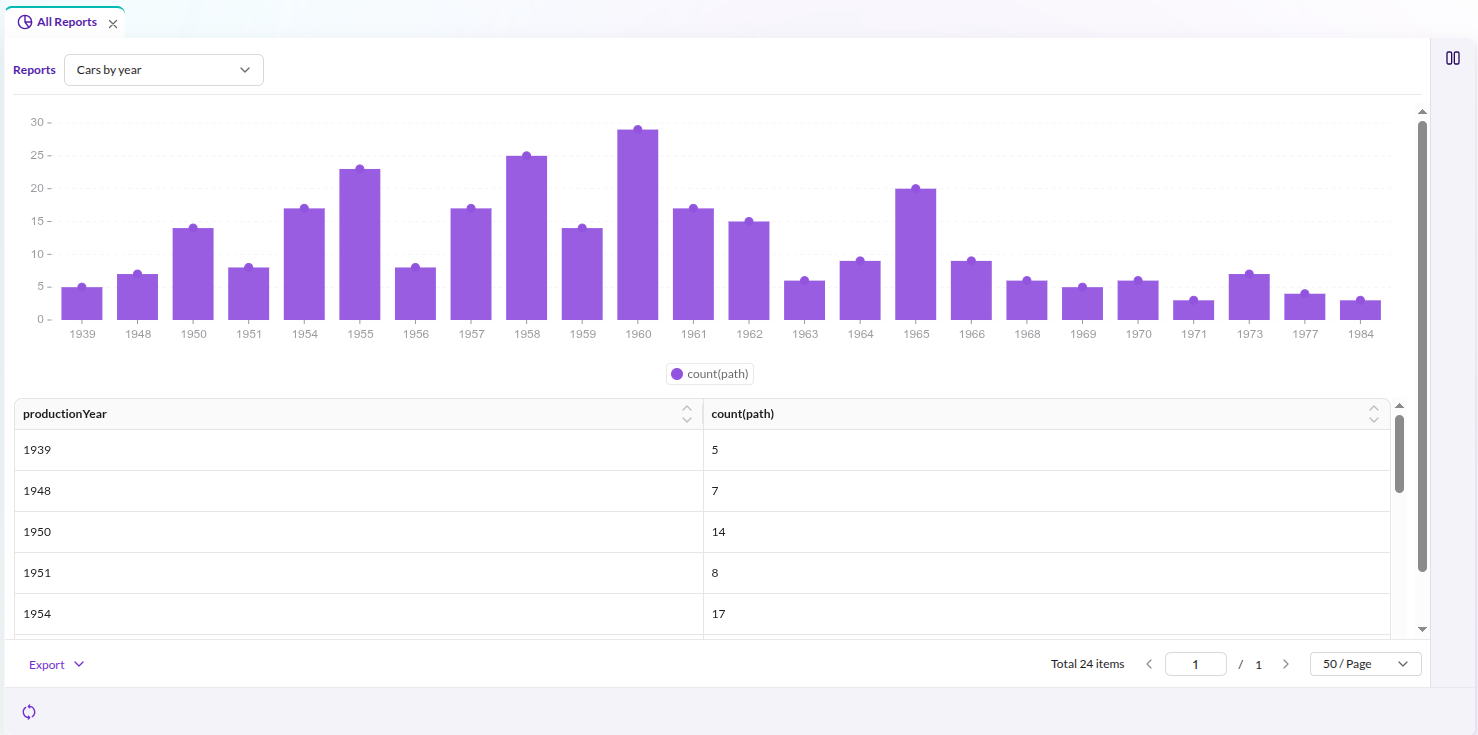

Data Source Adapters
Each report uses a data source adapter to retrieve and prepare its data. Pimcore ships with the following adapters:
-
SQL - query data with custom SQL statements
cautionWhen using the SQL adapter, several SQL keywords cannot appear unquoted in column names:
ALTER|CREATE|DROP|RENAME|TRUNCATE|UPDATE|DELETEFor example, a column named
lastUpdateneeds backtick quoting:SELECT `lastUpdate` -
Statistics Explorer (Enterprise) - aggregation and pivot-table reports via Statistics Explorer Custom Report Integration
Custom Report Permissions
Custom report permissions control report visibility:
- Share globally: all users with the
reportspermission can access the report. - Visible to users: only the listed users can access the report.
- Visible to roles: only users with the listed roles can access the report.
Custom Data Source Adapters
Implement custom source adapters for specialized data retrieval. A custom adapter consists of a PHP backend (data retrieval) and a Pimcore Studio frontend (configuration form).
PHP Backend: Adapter Class
Implement CustomReportAdapterInterface
(or extend AbstractAdapter) from Pimcore\Bundle\CustomReportsBundle\Tool\Adapter:
| Method | Description |
|---|---|
getData(?array $filters, ?string $sort, ?string $dir, ?int $offset, ?int $limit, ?array $fields, ?array $drillDownFilters): array | Return report data as an array with data (rows) and total (count) keys. |
getColumns(?stdClass $configuration): array | Return available column names. |
getColumnsWithMetadata(?stdClass $configuration): array | Return ColumnInformation[] controlling per-column settings: sort ordering, filtering, dropdown filtering, and label editability. Override to restrict which settings are configurable. |
getAvailableOptions(array $filters, string $field, array $drillDownFilters): array | Return distinct values for drill-down filter dropdowns. |
getPagination(): bool | Return whether the adapter supports pagination (default: true). |
Reference implementation: Sql.php
PHP Backend: Adapter Factory
Create a factory implementing CustomReportAdapterFactoryInterface:
interface CustomReportAdapterFactoryInterface
{
    public function create(stdClass $config, ?Config $fullConfig = null): CustomReportAdapterInterface;
}
For simple adapters without dependency injection, use DefaultCustomReportAdapterFactory
and pass the adapter class FQCN as argument:
services:
    app.custom_report.adapter.factory.custom:
        class: Pimcore\Bundle\CustomReportsBundle\Tool\Adapter\DefaultCustomReportAdapterFactory
        arguments:
            - 'App\CustomReport\Adapter\Custom'
For adapters requiring injected services, implement CustomReportAdapterFactoryInterface directly.
PHP Backend: Register the Adapter
Add the factory to the pimcore_custom_reports.adapters configuration.
The key becomes the adapter's type identifier. At runtime, the system resolves the factory
from a ServiceLocator using the type field in the report's dataSourceConfig:
pimcore_custom_reports:
    adapters:
        myAdapter: app.custom_report.adapter.factory.custom
When a report stores "type": "myAdapter" in its data source configuration,
Pimcore looks up the myAdapter key in the registered adapter factories and calls create() on it.
Pimcore Studio Frontend: Dynamic Type Provider
After registering the PHP adapter, create a corresponding Pimcore Studio component so the adapter appears in the report configuration editor.
Extend DynamicTypeCustomReportDefinitionAbstract:
import { injectable } from 'inversify'
import { type ReactElement } from 'react'
import {
  DynamicTypeCustomReportDefinitionAbstract
} from '@Pimcore/modules/reports/dynamic-types/definitions/custom-report-definition-adapters/dynamic-type-custom-report-definition-abstract'
import { type IReportConfigurationSectionProps } from '@Pimcore/modules/reports/reports-editor/types'

@injectable()
export class DynamicTypeMyCustomAdapter extends DynamicTypeCustomReportDefinitionAbstract {
  readonly id = 'myAdapter'

  getLabel (): ReactElement {
    return <>My Custom Adapter</>
  }

  getPagination (): boolean {
    return true
  }

  getCustomReportData (props: IReportConfigurationSectionProps): ReactElement {
    return <MyAdapterConfigForm {...props} />
  }
}
The id property must match the adapter key registered in pimcore_custom_reports.adapters.
getCustomReportData() returns the React component that renders in the report configuration view.
The component receives props typed as IReportConfigurationSectionProps:
currentData(ReportFormData) - the current report configuration stateupdateFormData((data: ReportFormData) => void) - callback to update configuration valuesform(FormInstance) - the Ant Design form instance for field binding
Register the dynamic type in a Pimcore Studio plugin. The plugin binds the class to the DI container; the module retrieves it and registers it with the dynamic type registry:
// plugin.ts
import type { IAbstractPlugin } from '@Pimcore/modules/app/plugin/plugin-api'

export const MyPlugin: IAbstractPlugin = {
  name: 'my-custom-report-plugin',

  onInit ({ container }) {
    container.bind('MyPlugin/DynamicTypes/CustomReportDefinition/MyAdapter')
      .to(DynamicTypeMyCustomAdapter)
      .inSingletonScope()
  },

  onStartup ({ moduleSystem }) {
    moduleSystem.registerModule(MyModule)
  }
}
// module/index.tsx
import type { AbstractModule } from '@Pimcore/app/module-system/module-system'
import { container } from '@Pimcore/app/depency-injection'
import { serviceIds } from '@Pimcore/app/config/services/service-ids'
import {
  type DynamicTypeCustomReportDefinitionRegistry
} from '@Pimcore/modules/reports/dynamic-types/definitions/custom-report-definition-adapters/dynamic-type-custom-report-definition-registry'

export const MyModule: AbstractModule = {
  onInit () {
    const registry = container.get<DynamicTypeCustomReportDefinitionRegistry>(
      serviceIds['DynamicTypes/CustomReportDefinitionRegistry']
    )
    registry.registerDynamicType(
      container.get<DynamicTypeMyCustomAdapter>('MyPlugin/DynamicTypes/CustomReportDefinition/MyAdapter')
    )
  }
}
Reference implementations:
- SQL adapter: dynamic-type-custom-report-definition-sql-adapter.tsx
- Statistics Explorer adapters: statistics-explorer/assets/studio/js/src/modules/statistics-explorer/dynamic-types/types/
Creating a Pimcore Studio plugin requires a Module Federation bundle. See the Pimcore Studio Extending Guide for setup instructions.