Restricting Public Asset Access
By default, all data stored as Pimcore assets is publicly accessible via its URL
(e.g. https://mydomain.com/my-assetfolder/my-asset.jpg) without login or other access restriction.
Confidential data must not be stored as Pimcore assets without additional protection measures.
This default exists for performance reasons: delivering an asset directly via the web server requires significantly fewer resources than starting a PHP process for every asset request (especially for thumbnails).
If you need to restrict access, Pimcore provides two options:
| Option | Approach | Performance Impact |
|---|---|---|
| Option 1 | Block access entirely at the web server level | None (requests never reach PHP) |
| Option 2 | Route requests through a controller for permission checks | Significant (PHP process per request) |
Choose Option 1 when assets should never be accessible publicly. Choose Option 2 when you need to check permissions at runtime (e.g. user-specific access control).
Option 1 - Restricting Access Completely
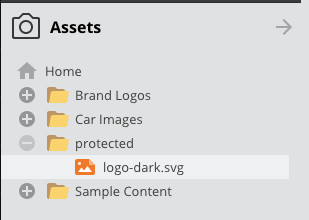
All confidential assets must be stored within one (or a few) folders, e.g. within /protected
(this is also required for Pimcore permissions).

Apache
In the .htaccess of the project, restrict access to this folder with an additional rewrite rule.
Place this rule before the rewrite rule for asset delivery:
...
RewriteRule ^protected/.* - [F,L]
RewriteRule ^var/.*/protected(.*) - [F,L]
RewriteRule ^cache-buster\-[\d]+/protected(.*) - [F,L]

# ASSETS: check if request method is GET (because of WebDAV) and if the requested file (asset) exists on the filesystem, if both match, deliver the asset directly
...
Nginx
Add the following parts to your Nginx configuration directly after the index directive:
location ~ ^/protected/.* {
  return 403;
}

location ~ ^/var/.*/protected(.*) {
  return 403;
}

location ~ ^/cache-buster\-[\d]+/protected(.*) {
  return 403;
}
A full configuration example can be found in the skeleton nginx.conf.
Because of this rule, all assets located within /protected (including all their thumbnails)
are no longer delivered via the web server. As a consequence, direct download links and
Pimcore-generated img tags for thumbnails cannot be used. All delivery of these assets
must be done manually via a custom controller action.
Option 2 - Checking Permissions Before Delivery
This option does not restrict delivery entirely, but routes asset requests to a controller action that can check access permissions with custom business logic and then deliver the asset or not.
Again, all confidential assets must be stored within one (or a few) folders, e.g. within /protected.
Apache
In the .htaccess of the project, route requests to assets in this folder to index.php.
Place this rule before the rewrite rule for asset delivery:
...
RewriteRule ^protected/(.*) %{ENV:BASE}/index.php [L]
RewriteRule ^var/.*/protected(.*) - [F,L]
RewriteRule ^cache-buster\-[\d]+/protected(.*) - [F,L]

# ASSETS: check if request method is GET (because of WebDAV) and if the requested file (asset) exists on the filesystem, if both match, deliver the asset directly
...
Nginx
Add the following parts to your Nginx configuration directly after the index directive:
rewrite ^(/protected/.*) /index.php$is_args$args last;

location ~ ^/var/.*/protected(.*) {
  return 403;
}

rewrite ^(/cache-buster-(?:\d+)/protected(?:.*)) /index.php$is_args$args last;

location ~ ^/cache-buster\-[\d]+/protected(.*) {
  return 403;
}
A full configuration example can be found in the skeleton nginx.conf.
In the application, define a route in config/routes.yaml and a controller action that handles the request:
# config/routes.yaml

# important: these must be the top routes in the file!
asset_protect:
    path: /protected/{path}
    defaults: { _controller: App\Controller\MyAssetController::protectedAssetAction }
    requirements:
        path: '.*'

cache_buster_asset_protect:
    path: /cache-buster-{id}/protected/{path}
    defaults: { _controller: App\Controller\MyAssetController::protectedAssetAction }
    requirements:
        id: '\d+'
        path: '.*'
<?php

namespace App\Controller;

use Pimcore\Controller\FrontendController;
use Pimcore\Model\Asset;
use Pimcore\Model\Asset\Service;
use Symfony\Component\HttpFoundation\Request;
use Symfony\Component\HttpFoundation\Response;
use Symfony\Component\HttpFoundation\StreamedResponse;
use Symfony\Component\HttpKernel\Exception\AccessDeniedHttpException;

class MyAssetController extends FrontendController
{
    public function protectedAssetAction(Request $request): Response
    {
        // IMPORTANT!
        // Add your permission check here and throw AccessDeniedHttpException if denied.

        // the following code is responsible to deliver asset & thumbnail contents
        // modify it the way you need it for your use-case
        $pathInfo = $request->getPathInfo();
        $asset = Asset::getByPath($pathInfo);
        if ($asset){
            $stream = $asset->getStream();
            return new StreamedResponse(function () use ($stream) {
                fpassthru($stream);
            }, 200, [
                'Content-Type' => $asset->getMimeType(),
            ]);
        } else {
            return Asset\Service::getStreamedResponseByUri($pathInfo);
        }

        throw new AccessDeniedHttpException('Access denied.');
    }
}
This option has significant impact on server load and delivery performance of assets (and thumbnails). It is not recommended to deliver all assets this way, only the confidential ones.