Workflow Reporting
Depending on the marking store of workflows, different reporting methods are available. See marking store docs for details.
Using state_table and Custom Reports
Use custom reports for workflow place reporting, filtering, exporting, and directly opening related elements. This way, follow and monitor workflows and the progress of documents, assets, and objects.
Create a custom report for objects
Create a new empty custom report. See custom reports.
After creating it, configure the Source Definition, Column Configuration, and Chart Settings:
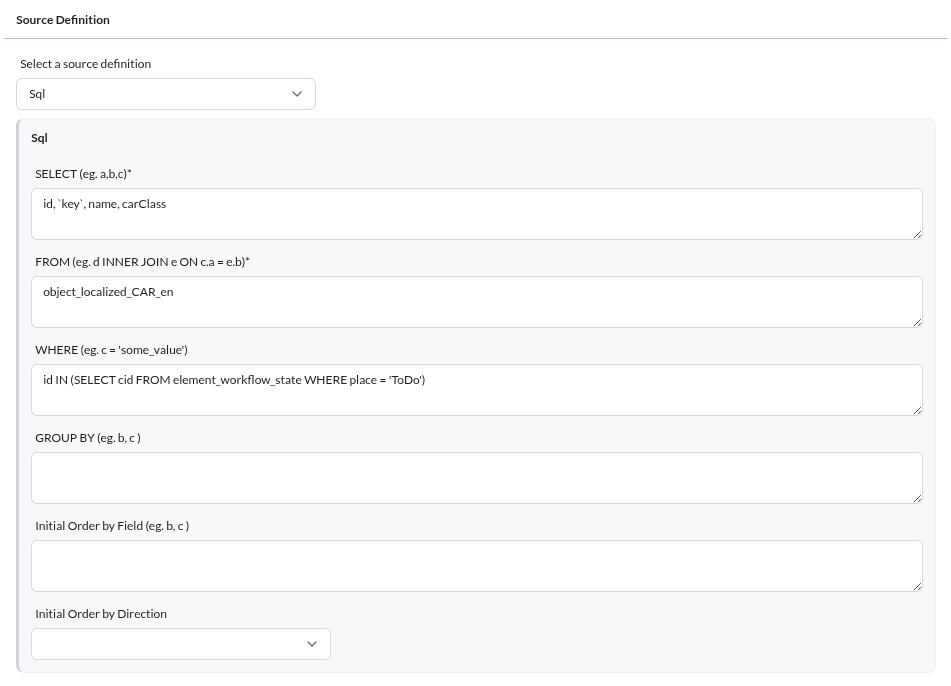

Save it and start using it. Filter globally by state and status, order and filter the columns, and export results.
Here is an example of a rendered workflow custom report:


Using single_state, data_object_multiple_state and data_object_splitted_state together with Object Grid
Since single_state (and others) stores place information in data object attributes,
Pimcore default object grids handle workflow reporting on Pimcore Objects.
Create a corresponding grid configuration and use default filtering and sorting functionality.