Search Modes
Semantic search is offered as a search mode beside Studio's own full-text search. Pick the mode from the dropdown left of the search field, type a query, and the results are ranked by meaning.
The modes on assets
Assets can be searched three ways.
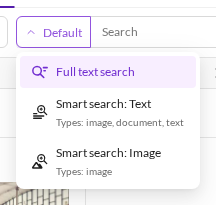

| Mode | What it matches |
|---|---|
| Full text search | Studio's standard search: the words actually stored on the asset — filename, path, metadata, extracted document text. Finds nothing that does not literally contain the words. |
| Smart search: Text | The text of an asset, by meaning: its filename, path and string metadata, plus the extracted text of documents and text files. Use it to find a PDF about warranty terms that never uses the word "warranty". |
| Smart search: Image | What the picture looks like. The query is embedded into the same space as the image itself, so "red sports car" finds red sports cars with no filename, tag or metadata involvement at all. Images only. |
The dropdown names the asset types each mode covers — in the screenshot, text search covers
image, document, text while image search covers image. Those lists come straight from the embedding
scope, see Configuration.
Text and image search are different questions, not better and worse. A photo named
auto-3237478.jpg carries nothing useful in its text, so only image search will find it. A PDF has no
picture worth embedding, so only text search will. Exactly one of the two is scored per query — the modes
are never blended.
The modes on data objects
Data objects have no picture to embed, so there are two modes.

| Mode | What it matches |
|---|---|
| Full text search | The words stored on the object. |
| Smart search: Text | A composed text representation of the object — its field values, chunked — by meaning. |
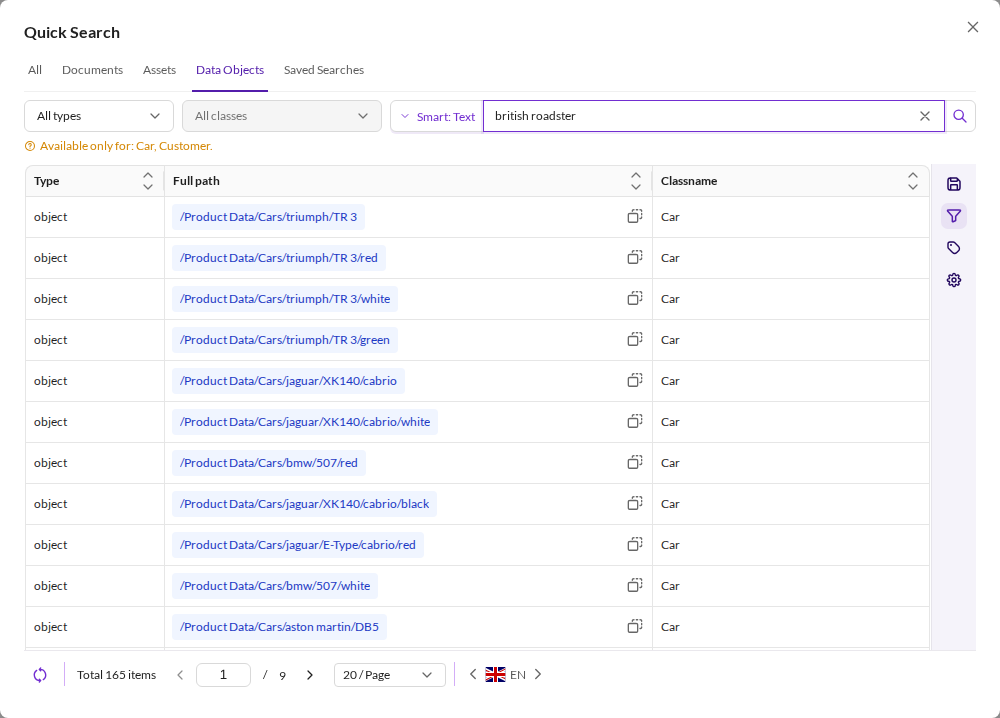
The dropdown names the classes that are covered; only classes in the embedding scope can answer. Searching "british roadster" over them ranks by what the cars are, not by the words in their fields:

Documents are not embedded at all, so the Documents surface offers no mode selector.
Where the modes appear
Quick search
Open quick search from the left sidebar. Each tab carries its own mode selector, offering whatever that element type supports.
The All tab is the exception: it runs one query across assets and data objects together and returns a single merged ranking, rather than searching each type separately and stitching the lists. Both element types embed their text with the same model, so the scores are directly comparable.
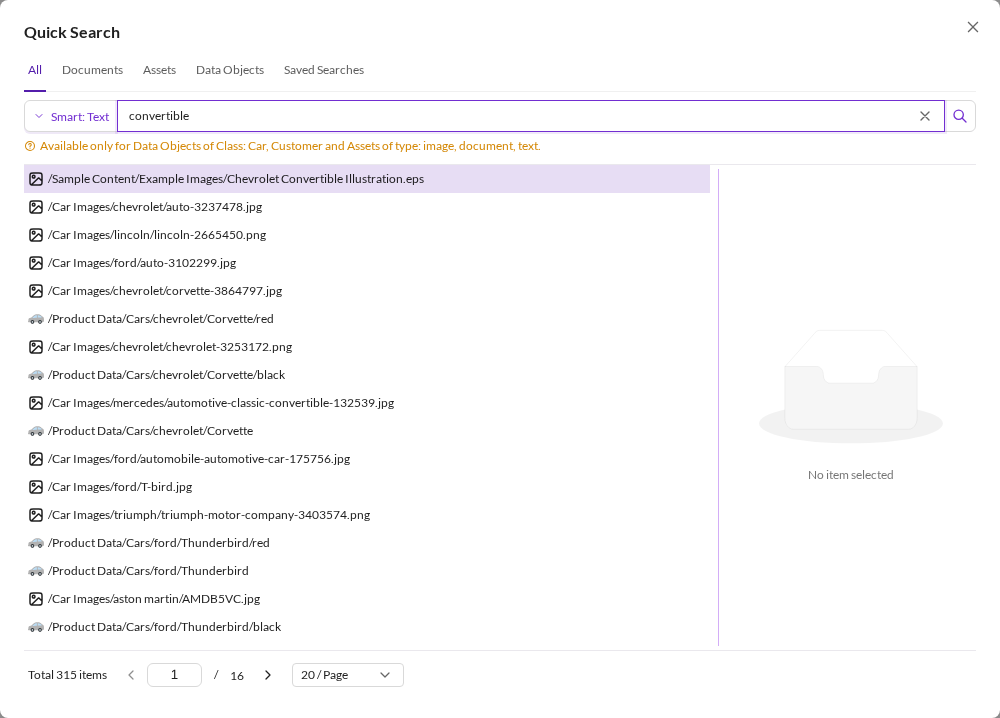

Because the All tab spans both types, its coverage note names both, for example Available only for Data Objects of Class: Car, Customer and Assets of type: image, document, text.
Grids
The same modes sit in the Search & Filter panel of any asset or data object grid, under their short labels Smart: Text and Smart: Image.

Here the semantic query is one filter among the rest: field filters, the folder scope and Only direct children all still apply, and the result is their intersection, ranked by relevance. A warning names the classes or asset types that can answer, because a grid may well be showing elements outside the embedding scope.
Sorting
While a smart search is active the results are ordered by relevance. Clicking a column header to sort takes precedence: the result set stays the same, but it is ordered by that column instead. See result ordering.
How many results come back
A semantic query asks the engine for the nearest 150 matches per index, then filters them. The totals in the screenshots above are that limit, not the size of the catalogue: 150 for the one asset index, and 165 for data objects because the demo's two embedded classes contribute 150 Cars and 15 Customers. The All tab's 315 is the sum of both.
So the count is a candidate pool, not a match count. Semantic search answers "what are the best matches for this" — narrow the query rather than paging deep into the list.
When the inference service is down
In a grid, and on quick search's Assets and Data Objects tabs, the semantic clause is dropped and you
get plain, unranked results instead — the search still works, it just stops being semantic. Nothing is
shown in the UI; the server logs Semantic search degraded: query embedding unavailable, clause skipped. at warning level.
The All tab behaves differently, because it runs through the
global endpoint, which has no non-semantic result to fall back to: an
uncached query there fails with a 400 instead of degrading.
Query embeddings are cached for 24 hours either way, so a repeated query may keep working straight through a short outage.