Theme Manager
The Theme Manager functionality of the Backend Power Tools bundle lets you manage the look and feel of
Pimcore Studio. It replaces the core Appearance & Branding settings with a full theme manager where you
can maintain several named themes, brand them individually and pick which one is the system default.
Open it in Pimcore Studio under System > Appearance & Branding.
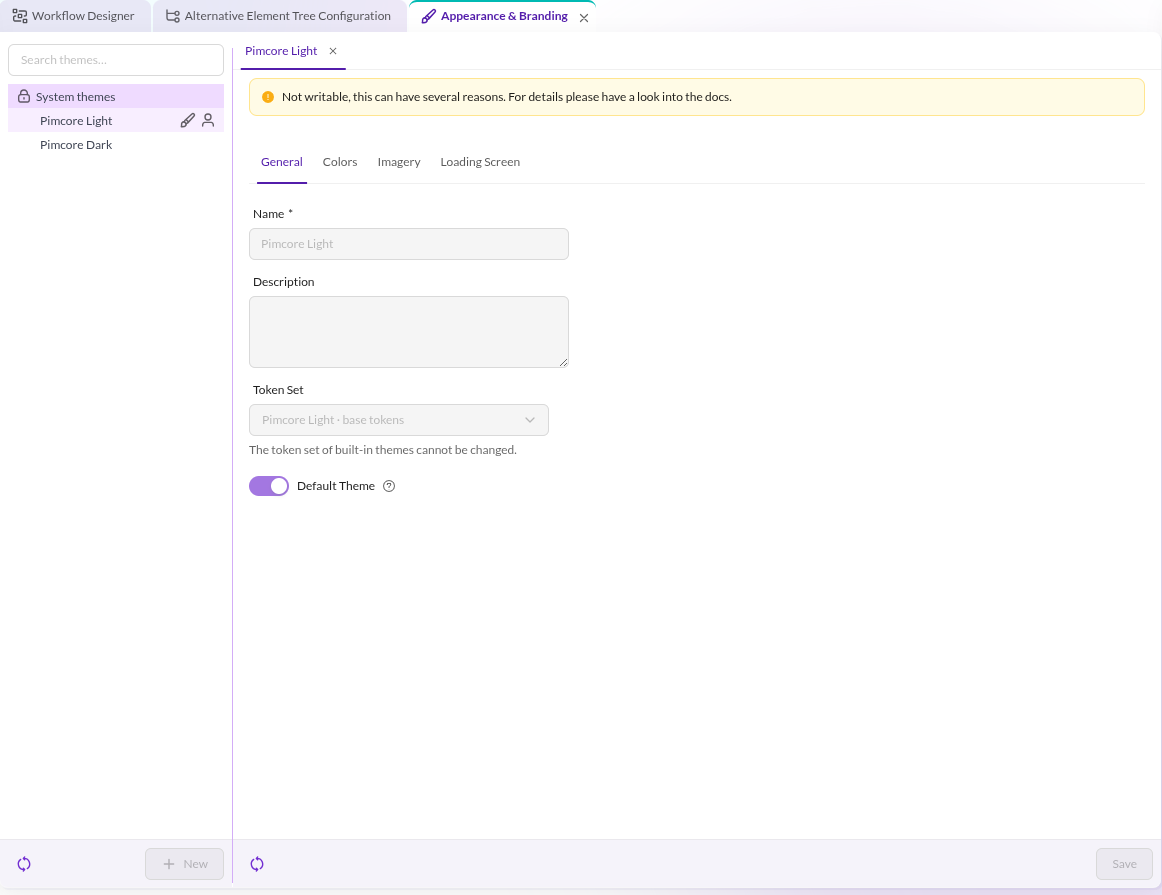

Features in a Nutshell
With the Theme Manager, you can:
- Manage multiple named themes side by side, each with its own token set (color scheme) and branding.
- Brand every theme individually: background shade, brand color, custom logo and login-screen background image.
- Customize the loading screen (preloader) shown before the Pimcore Studio interface finishes loading.
- Ship the two protected built-in themes
Pimcore LightandPimcore Darkout of the box. - Set a system-wide default theme that applies to every user.
- Let each user pick their own theme in their profile, overriding the system default.
- Extend the theme catalog from other bundles with custom token sets (theme dynamic types).
The Theme Manager takes over the same navigation entry and permission as the core appearance settings
(System > Appearance & Branding, permission Appearance & Branding Settings). Whoever could edit the core
appearance settings can manage themes.
How Theming Is Applied
A theme is made of two parts:
- Token set: the color scheme itself, provided as a studio-ui theme dynamic type in the frontend
(for example
studio-default-lightorpimcore-dark). The token set defines the hundreds of design tokens that drive the interface. - Branding: the per-theme values layered on top of the token set: background shade, brand color, custom logo
and login-screen background image. For the protected
Pimcore Lighttheme, the branding is the coreAppearance & Brandingconfiguration.
Theme changes are applied for new sessions only, there is no forced reload or live re-theming. After changing the default theme (or a user's personal theme), the new theme takes effect on the next load of Pimcore Studio.
Documentation Overview
- Work with the Theme Manager:
- Configuration
- Customization: