Execution Configuration
An import needs a trigger. Which triggers are available depends on the data source.
With the Push data source, the import starts every time data is pushed to the endpoint. There is nothing to configure,
and the triggers below do not apply.
For every other data source, configure a trigger in the Execution tab.
Manual Execution
Start Import in the Manual Execution panel starts the import immediately.

Save the configuration first. The button stays disabled while there are unsaved changes.
Manual execution is the only trigger that ignores the Active flag on the General tab, so an inactive configuration can still be started by hand for testing.
Scheduled Execution
Set Schedule Type to run the import automatically.
Recurring / Cron
Runs the import on a cron expression, for example every 10 minutes or once a day. The Cron Generator helps build the expression, and Crontab Guru explains the syntax.
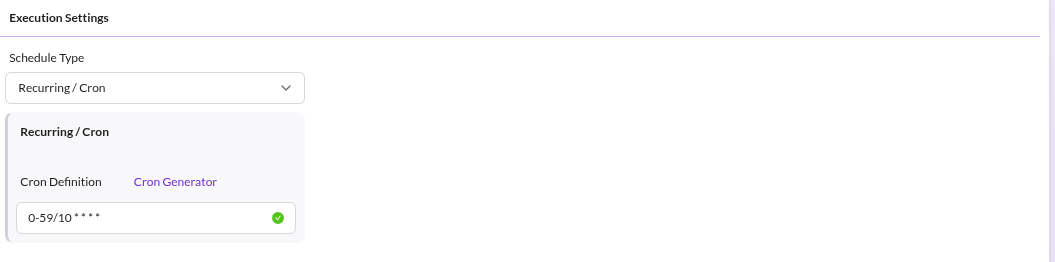

One-time Job
Runs the import once, at the date and time given in Scheduled At.
The job is skipped if the configuration was modified after the scheduled time, and it never runs twice.
Both schedule types depend on the datahub:data-importer:execute-cron command running regularly. Without it, no
scheduled import ever starts. See Installation.
Command-based Execution
Start an import from the command line for one or more configurations:
bin/console datahub:data-importer:prepare-import <config_name> [<config_name> ...]
This ignores the configured schedule and prepares the import right away. Use it from deployment scripts and from external schedulers. Like the scheduled triggers, it skips configurations that are not active.
What Happens Next
Every trigger only prepares the import: the source data is loaded, split into records, and queued. A separate queue worker imports the records. See Import Execution Details.