Installation
Datahub File Export is an enterprise bundle. It requires a Pimcore enterprise subscription.
Prerequisites
The bundle requires Pimcore 2026.1 or later and PHP 8.4 or 8.5.
Datahub
(pimcore/data-hub), pimcore/studio-backend-bundle and pimcore/studio-ui-bundle are Composer dependencies, so
Composer pulls them in. The bundle additionally registers Datahub, the Application Logger bundle and the Enterprise
Subscription Tools bundle as dependent bundles, which loads them into the kernel without manual bundle ordering.
Loading a bundle is not installing it, and pimcore:bundle:install does not cascade. Datahub has to be installed on
its own, see step 3.
A custom bundle that extends File Export has to be loaded after PimcoreDataHubFileExportBundle. Set its priority in
config/bundles.php accordingly.
Installation Process
- Install the package:
composer require pimcore/data-hub-file-export
- Enable the bundle in
config/bundles.php:
use Pimcore\Bundle\DataHubFileExportBundle\PimcoreDataHubFileExportBundle;
// ...

return [
    // ...
    PimcoreDataHubFileExportBundle::class => ['all' => true],
    // ...
];
- Install Datahub, if it is not installed yet. Enabling it as a dependent bundle only loads it, it does not create
the
plugin_datahub_configpermission and the Datahub permission category that File Export depends on:
bin/console pimcore:bundle:install PimcoreDataHubBundle
- Install the bundle. Its installer creates the
plugin_datahub_adapter_fileExportpermission and theplugin_datahub_queue_itemtable, and installs the Application Logger bundle if it is not installed yet:
bin/console pimcore:bundle:install PimcoreDataHubFileExportBundle
Depending on how exports are triggered, a Symfony Messenger worker and additional cron jobs are needed. See Export Setup.
Verify the Installation
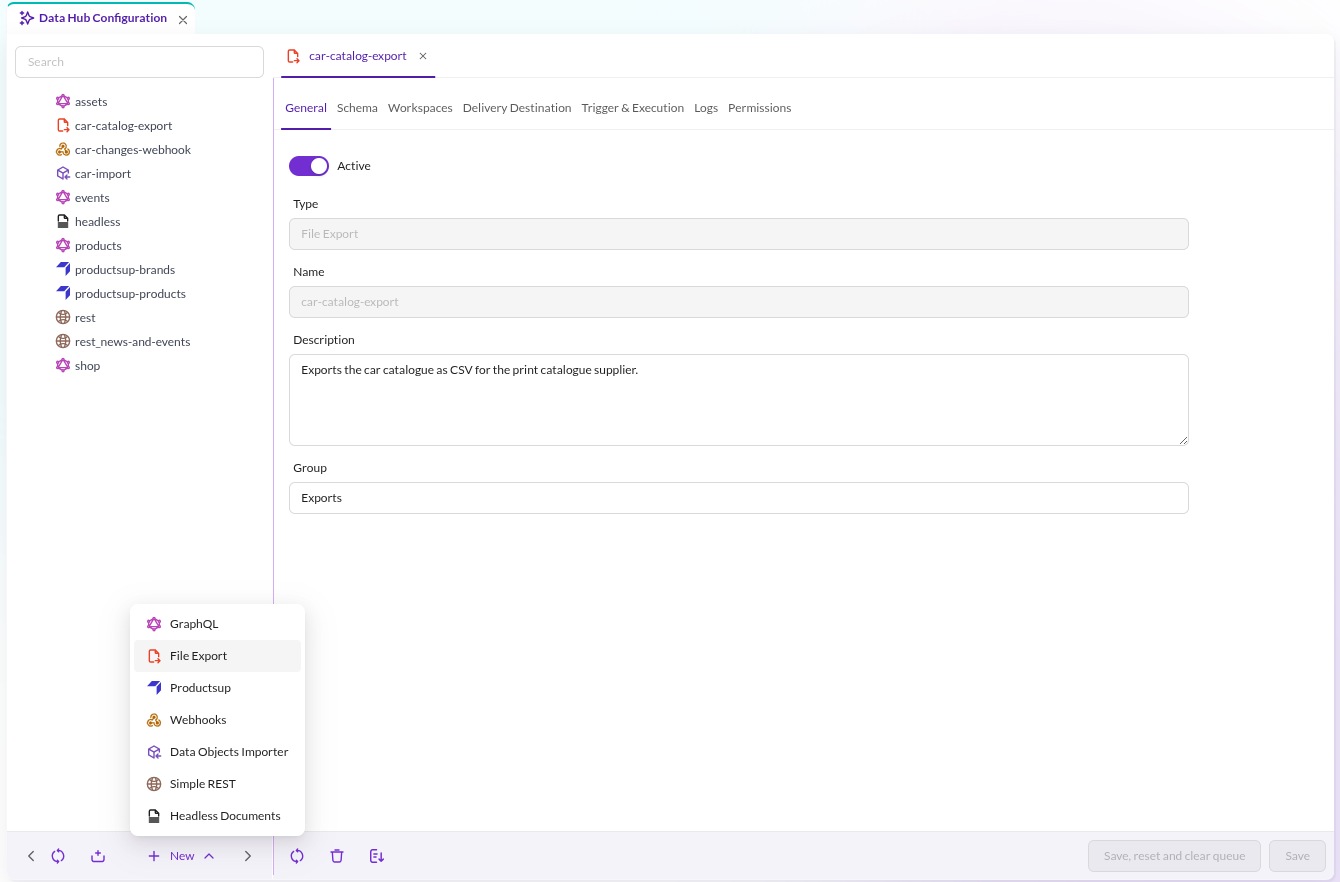
Open Automation & Integration > Data Hub Configuration in Pimcore Studio. File Export now appears in the New menu at the bottom of the configuration tree.

User Permissions
The installer adds one permission, plugin_datahub_adapter_fileExport ("Datahub Adapter - File Export"), to the
Datahub permission category. The other permissions involved come from Datahub itself.
| Permission | Effect |
|---|---|
plugin_datahub_config | Opens the Data Hub Configuration entry in Pimcore Studio, and is enforced on every File Export API endpoint with #[IsGranted]. Without it the panel is neither reachable nor callable. |
plugin_datahub_adapter_fileExport | Offers File Export in the tree's New menu, and grants access to File Export configurations that carry no entries in their Permissions tab. |
plugin_datahub_admin | Grants full access to every Datahub configuration of every adapter, so it overrides plugin_datahub_adapter_fileExport and the per-configuration permissions. It does not replace plugin_datahub_config, which the endpoints still require. |
Access to a single configuration resolves like this, and the read, update and delete checks run server-side:
- An
adminuser or a holder ofplugin_datahub_adminis always allowed. - If the configuration's Permissions tab is empty,
plugin_datahub_adapter_fileExportdecides. - As soon as the Permissions tab lists any user or role,
plugin_datahub_adapter_fileExportis ignored and only the listed entries count. A user who is not listed, directly or through a role, has no access.
Next Steps
- Basics: configure an export.
- Export Setup: schedule and trigger exports.
- Upgrade Notes: breaking changes per release.