Extending the Pimcore User
Pimcore does not support extending the user directly. Instead it allows creating a relation between a user and one or more Pimcore objects. This can add information to a user or associate one or more objects directly with a system user.
This article presents an example where the member object is associated with a Pimcore user.
The screenshots show how to achieve this through Pimcore Studio. Further below
is an example of how to create and associate user and member objects programmatically.
Regardless of the creation method, define the member class first in
the class editor in Pimcore Studio
(Data Management -> Data Model Definitions -> Classes).
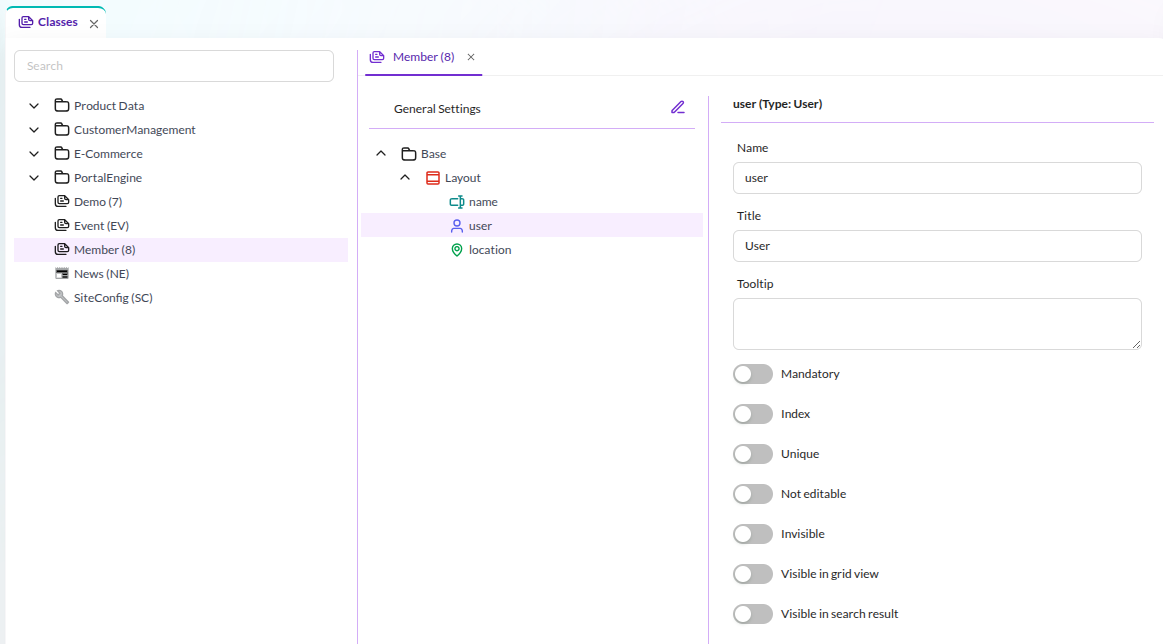

In this example, the class member has the three properties name, user and location.
The class can have an arbitrary number of properties. What is important in this context is,
that it has a property of the type User. Speaking in code this would be a
\Pimcore\Model\DataObject\ClassDefinition\Data\User.
When creating the first object instance of the member class, you can see the input widget for the user property. It is a combo box where a user can be selected from all available Pimcore users.
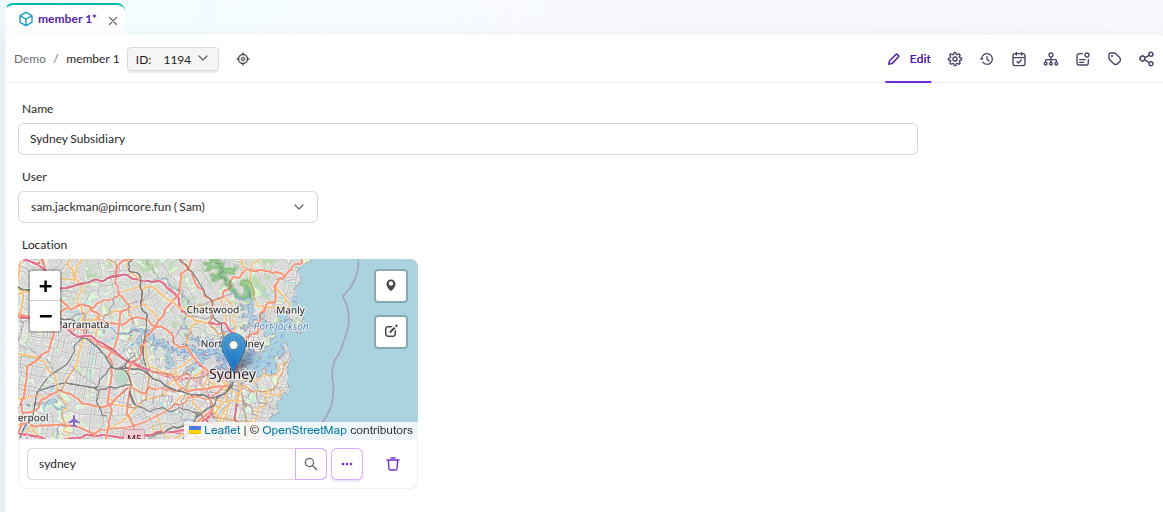

In this example the user "sam jackman" was selected.
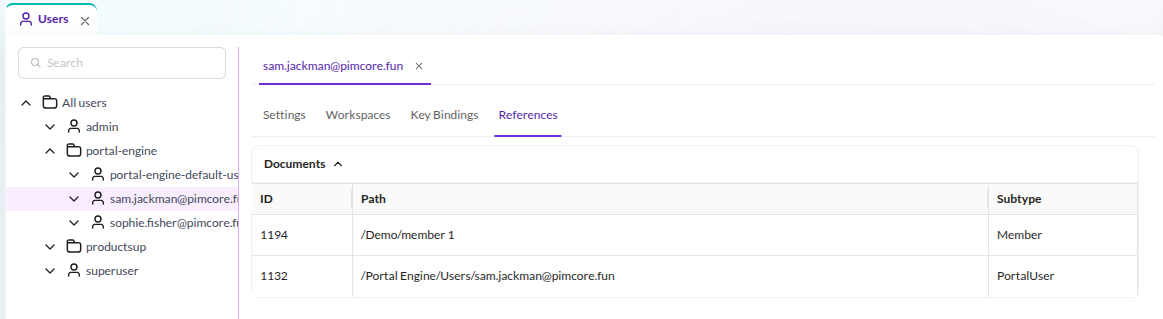
In Pimcore Studio (System -> User & Roles -> Users) this relation appears in the third tab of each
user, labeled This user is referenced in the following objects:

Objects and users are not necessarily always created through user input in Pimcore Studio. Sometimes these objects are created programmatically in the context of importers. The following code snippet shows how to first create the user and then the member object with the relation to the previously created user:
use Pimcore\Model\User;
use Pimcore\Model\DataObject;
...

//create a new user for Sydney
$user = User::create([
    "parentId" => (int) $userGroup->getId(),
    "username" => "sydney",
    "password" => "password1234",
    "hasCredentials" => true,
    "active" => true
]);

...

//create the Sydney member object
$object = new DataObject\Member();
$object->setCreationDate(time());
$object->setUserOwner($currentUser->getId());
$object->setUserModification($currentUser->getId());
$object->setPublished(true);

$object->setName("Sydney Subsidiary");
$object->setKey("member1234");
//select the user belonging to this object
$object->setUser($user->getId());

$object->setParentId($parentFolderId);
$object->save();

...
Aside from creating these objects, one might need to find out what objects are associated with a certain user. There is a convenient method available to find all objects associated with a specific user:
$objects = \Pimcore\Model\DataObject\Service::getObjectsReferencingUser($userId);