Preview Scheduled Content
The Document preview tab provides a time slider to preview content at any given time.
To use this feature in custom implementations (e.g. custom controller actions),
use the OutputTimestampResolver service to get the timestamp instead of using the current timestamp.
    public function timestampAction(OutputTimestampResolver $outputTimestampResolver): Response
    {
        $currentTimestamp = $outputTimestampResolver->getOutputTimestamp();

        $response = "
        <html><head></head><body>
            current time is " . date("Y-m-d H:i", $currentTimestamp) . "
        </body></html>
        ";

        return new Response($response);
    }
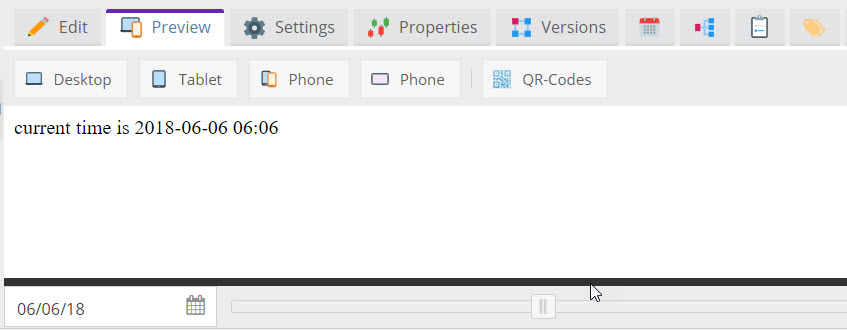

As soon as
$outputTimestampResolver->getOutputTimestamp()is called somewhere, the time slider in document preview is shown. It is important, that the response is a valid html (with<head>and<body>), otherwise the time slider will not be shown.
The preview can only take content into account that is already in the system and published. It cannot take scheduled versions of documents, assets or objects into account.
See also Scheduled Block for an editable that uses this functionality.