Custom Reports
To use this feature, enable the PimcoreCustomReportsBundle in your bundles.php file:
Pimcore\Bundle\CustomReportsBundle\PimcoreCustomReportsBundle::class => ['all' => true]
Then install it with:
bin/console pimcore:bundle:install PimcoreCustomReportsBundle
This page covers report configuration, built-in data source adapters, permissions, and how to implement custom adapters with both a PHP backend and a Pimcore Studio frontend.
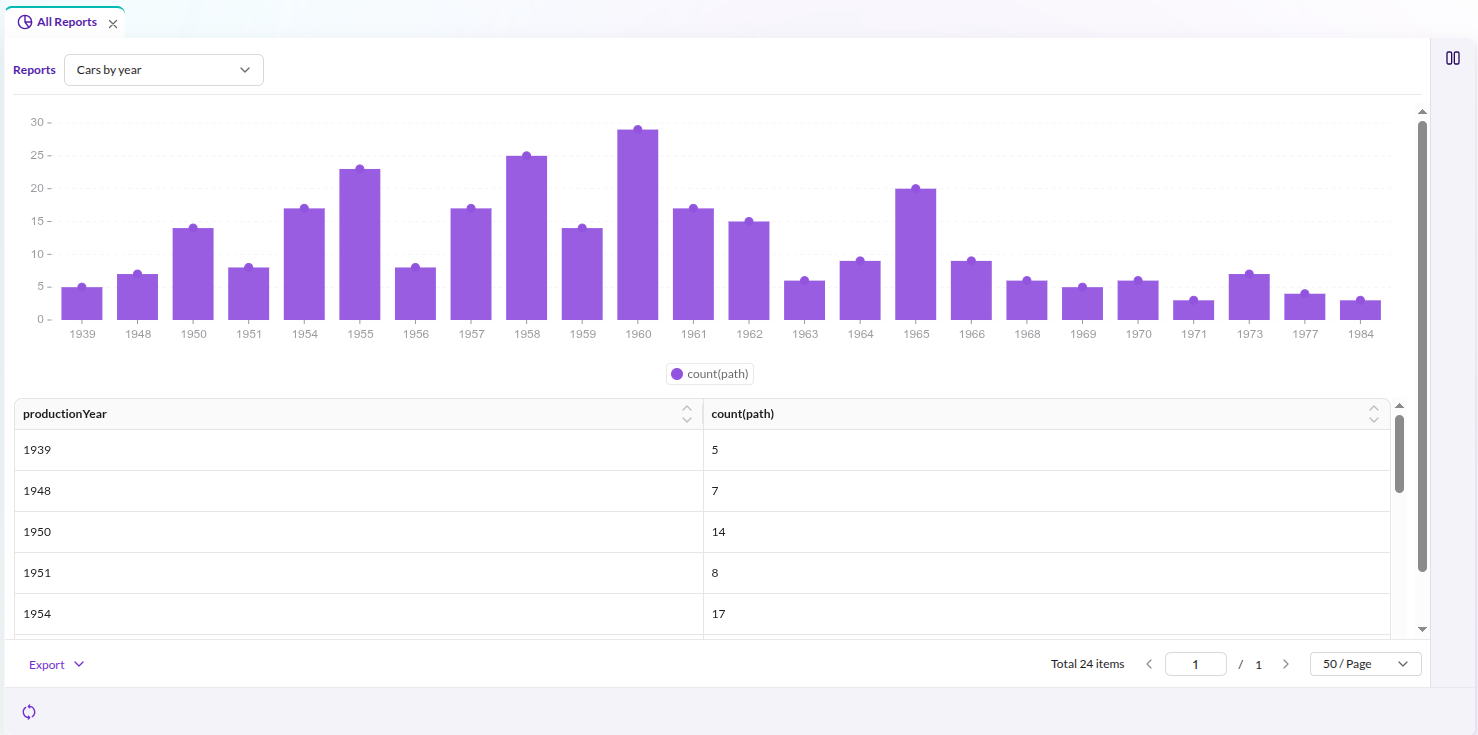

Data Source Adapters
Each report uses a data source adapter to retrieve and prepare its data. Pimcore ships with the following adapters:
-
SQL - query data with custom SQL statements
cautionWhen using the SQL adapter, several SQL keywords cannot appear unquoted in column names:
ALTER|CREATE|DROP|RENAME|TRUNCATE|UPDATE|DELETEFor example, a column named
lastUpdateneeds backtick quoting:SELECT `lastUpdate` -
Statistics Explorer (Enterprise) - aggregation and pivot-table reports via Statistics Explorer Custom Report Integration
Enabling/Disabling Adapters
Each registered adapter can be enabled or disabled via the enabled_adapters option. Adapters that are not listed
default to enabled.
pimcore_custom_reports:
    enabled_adapters:
        sql: true
        myAdapter: false
Trying to use a disabled adapter throws an exception.
We recommend disabling the built-in sql adapter (enabled_adapters: { sql: false }) unless you specifically need
it. Any user with the reports_config permission can use it to define arbitrary SELECT statements against your
application's database, including tables it was never intended to expose (e.g. the users table). Only keep it
enabled for trusted users, and grant reports_config sparingly.
Custom Report Permissions
Custom report permissions control report visibility:
- Share globally: all users with the
reportspermission can access the report. - Visible to users: only the listed users can access the report.
- Visible to roles: only users with the listed roles can access the report.
Custom Data Source Adapters
Implement custom source adapters for specialized data retrieval. A custom adapter consists of a PHP backend (data retrieval) and a Pimcore Studio frontend (configuration form).
PHP Backend: Adapter Class
Implement CustomReportAdapterInterface
(or extend AbstractAdapter) from Pimcore\Bundle\CustomReportsBundle\Tool\Adapter:
| Method | Description |
|---|---|
getData(?array $filters, ?string $sort, ?string $dir, ?int $offset, ?int $limit, ?array $fields, ?array $drillDownFilters): array | Return report data as an array with data (rows) and total (count) keys. |
getColumns(?stdClass $configuration): array | Return available column names. |
getColumnsWithMetadata(?stdClass $configuration): array | Return ColumnInformation[] controlling per-column settings: sort ordering, filtering, dropdown filtering, and label editability. Override to restrict which settings are configurable. |
getAvailableOptions(array $filters, string $field, array $drillDownFilters): array | Return distinct values for drill-down filter dropdowns. |
getPagination(): bool | Return whether the adapter supports pagination (default: true). |
Reference implementation: Sql.php
PHP Backend: Adapter Factory
Create a factory implementing CustomReportAdapterFactoryInterface:
interface CustomReportAdapterFactoryInterface
{
    public function create(stdClass $config, ?Config $fullConfig = null): CustomReportAdapterInterface;
}
For simple adapters without dependency injection, use DefaultCustomReportAdapterFactory
and pass the adapter class FQCN as argument:
services:
    app.custom_report.adapter.factory.custom:
        class: Pimcore\Bundle\CustomReportsBundle\Tool\Adapter\DefaultCustomReportAdapterFactory
        arguments:
            - 'App\CustomReport\Adapter\Custom'
For adapters requiring injected services, implement CustomReportAdapterFactoryInterface directly.
PHP Backend: Register the Adapter
Add the factory to the pimcore_custom_reports.adapters configuration.
The key becomes the adapter's type identifier. At runtime, the system resolves the factory
from a ServiceLocator using the type field in the report's dataSourceConfig:
pimcore_custom_reports:
    adapters:
        myAdapter: app.custom_report.adapter.factory.custom
When a report stores "type": "myAdapter" in its data source configuration,
Pimcore looks up the myAdapter key in the registered adapter factories and calls create() on it.
Pimcore Studio Frontend: Dynamic Type Provider
After registering the PHP adapter, create a corresponding Pimcore Studio component so the adapter appears in the report configuration editor.
Extend DynamicTypeCustomReportDefinitionAbstract:
import { injectable } from 'inversify'
import { type ReactElement } from 'react'
import {
  DynamicTypeCustomReportDefinitionAbstract
} from '@Pimcore/modules/reports/dynamic-types/definitions/custom-report-definition-adapters/dynamic-type-custom-report-definition-abstract'
import { type IReportConfigurationSectionProps } from '@Pimcore/modules/reports/reports-editor/types'

@injectable()
export class DynamicTypeMyCustomAdapter extends DynamicTypeCustomReportDefinitionAbstract {
  readonly id = 'myAdapter'

  getLabel (): ReactElement {
    return <>My Custom Adapter</>
  }

  getPagination (): boolean {
    return true
  }

  getCustomReportData (props: IReportConfigurationSectionProps): ReactElement {
    return <MyAdapterConfigForm {...props} />
  }
}
The id property must match the adapter key registered in pimcore_custom_reports.adapters.
getCustomReportData() returns the React component that renders in the report configuration view.
The component receives props typed as IReportConfigurationSectionProps:
currentData(ReportFormData) - the current report configuration stateupdateFormData((data: ReportFormData) => void) - callback to update configuration valuesform(FormInstance) - the Ant Design form instance for field binding
Register the dynamic type in a Pimcore Studio plugin. The plugin binds the class to the DI container; the module retrieves it and registers it with the dynamic type registry:
// plugin.ts
import type { IAbstractPlugin } from '@Pimcore/modules/app/plugin/plugin-api'

export const MyPlugin: IAbstractPlugin = {
  name: 'my-custom-report-plugin',

  onInit ({ container }) {
    container.bind('MyPlugin/DynamicTypes/CustomReportDefinition/MyAdapter')
      .to(DynamicTypeMyCustomAdapter)
      .inSingletonScope()
  },

  onStartup ({ moduleSystem }) {
    moduleSystem.registerModule(MyModule)
  }
}
// module/index.tsx
import type { AbstractModule } from '@Pimcore/app/module-system/module-system'
import { container } from '@Pimcore/app/depency-injection'
import { serviceIds } from '@Pimcore/app/config/services/service-ids'
import {
  type DynamicTypeCustomReportDefinitionRegistry
} from '@Pimcore/modules/reports/dynamic-types/definitions/custom-report-definition-adapters/dynamic-type-custom-report-definition-registry'

export const MyModule: AbstractModule = {
  onInit () {
    const registry = container.get<DynamicTypeCustomReportDefinitionRegistry>(
      serviceIds['DynamicTypes/CustomReportDefinitionRegistry']
    )
    registry.registerDynamicType(
      container.get<DynamicTypeMyCustomAdapter>('MyPlugin/DynamicTypes/CustomReportDefinition/MyAdapter')
    )
  }
}
Reference implementations:
- SQL adapter: dynamic-type-custom-report-definition-sql-adapter.tsx
- Statistics Explorer adapters: statistics-explorer/assets/studio/js/src/modules/statistics-explorer/dynamic-types/types/
Creating a Pimcore Studio plugin requires a Module Federation bundle. See the Pimcore Studio Extending Guide for setup instructions.