Two Factor Authentication
Pimcore has an integrated two factor authentication using the Google Authenticator (Android, iOS)
User Setup
By default, each user enables or disables their two factor authentication in the profile settings.
 (Settings -> My Profile)
After enabling it a secret will be generated and you can set up your Google Authenticator App.
Please be aware if you don't setup the App properly you will lose access to your account!
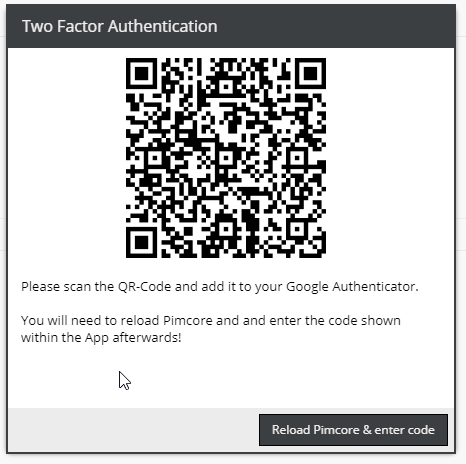

After reloading you will be prompted to enter the verification code for the first time.


Admin Setup
To force users to use two factor authentication, check 'Two Factor Authentication required' in the Users menu.
(Settings -> Users / Roles -> Users)

If this is enabled the user will have to setup two factor authentication and cannot disable it anymore.
Config
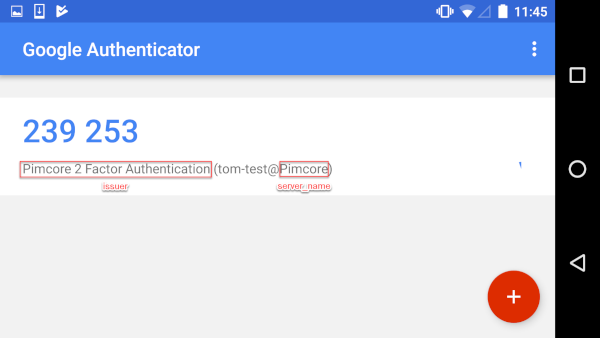
To change the default name / description displayed in the app, overwrite the following config:
 scheb_two_factor:
     google:
         server_name: Pimcore                                # Server name used in QR code
         issuer: Pimcore 2 Factor Authentication             # Issuer name used in QR code