Define Target Groups
Group your visitors into target groups to keep track of what content you need to provide and which content is delivered to which visitor.
Target Groups are the core entities for personalizing content.
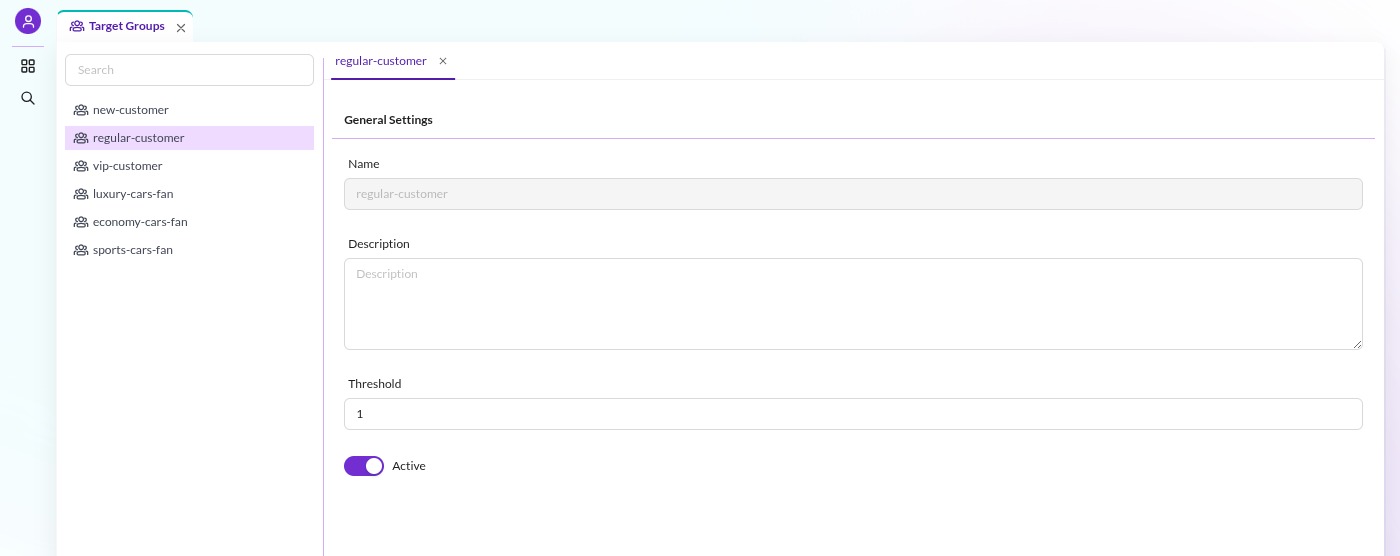
Target groups are defined centrally, have a name, can have a description and may be deactivated. Manage them in Pimcore Studio under Personalisation / Targeting > Target Groups. Each target group has:
- Name: the label shown in Pimcore Studio. The engine identifies target groups by their numeric ID, which is
what document assignments and targeting actions store, so names are not enforced to be unique. Keeping them
unique is still recommended, both to avoid confusion and because the
TargetGroup::getByName()API returnsnullwhen a name matches more than one group. - Description: optional, for documentation purposes.
- Threshold: the assignment count a visitor needs to reach before the target group is considered active for that visitor.
- Active: whether the target group is currently in use.

The threshold works together with visitor profiling. Based on visitor behavior, a target group can be assigned to a visitor multiple times, each time increasing that visitor's assignment count for the group (a visitor can be assigned multiple target groups at once, each with its own count). Only once the assignment count reaches the configured threshold does the visitor actually belong to the target group and become eligible for its personalized content.
See visitor profiling for further information on profiling visitors and assigning target groups.