Link Activity Tracking
CMF can track opened newsletter links as customer activities, so you can track activities directly on the customer object in Pimcore and use that information for further processing, such as assigning customer segments, and for personalization.
Functionality in a Nutshell
- A central definition object creates links used in newsletters.
- Created links point to a landing page and carry additional tracking parameters:
- Campaign tracking in Google Analytics, via UTM parameters.
- Activity tracking for each customer in CMF, via the
cmfcparameter. By default it is filled with a merge tag (for examplecmfc=*|ID_ENCODED|*); the newsletter provider (for example Mailchimp) replaces it with the customer ID while sending.
Detailed Configuration Workflow
-
Create a
LinkActivityDefinitionobject and fill in its data, at leastTypeandLanding page link.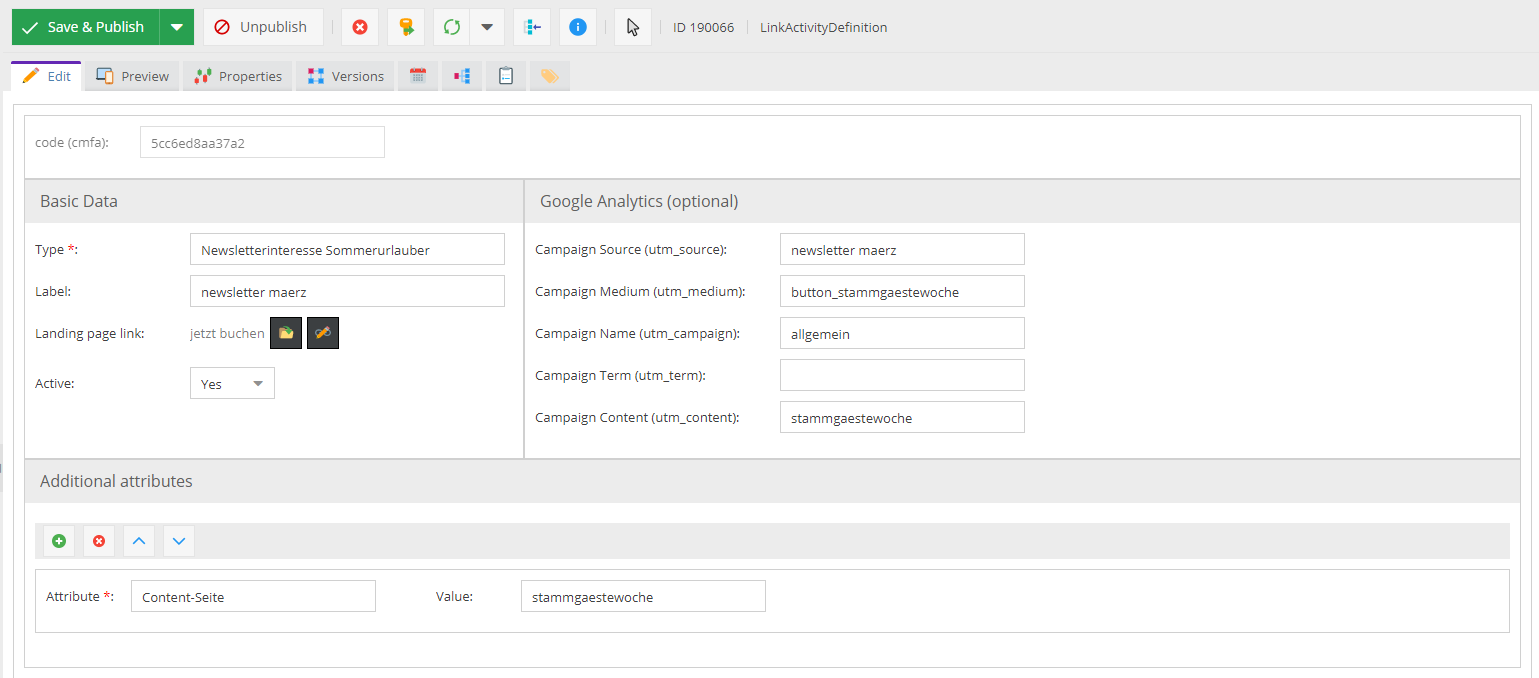
-
Link the
LinkActivityDefinitionobject into a link in the newsletter, via drag and drop. Pimcore generates the corresponding link to the landing page with all parameters.The link looks something like this:
https://demo.pimcore.com/en?utm_source=newsletter&utm_medium=button&utm_campaign=summer&cmfa=5ccc38eacb2be&cmfc=*|ID_ENCODED|* -
Send the newsletter through your newsletter provider, for example Mailchimp.
The provider replaces the merge tag (
*|ID_ENCODED|*) with the correct customer ID. -
When a customer clicks the link and opens the landing page, CMF tracks a corresponding activity for that customer:
Typeis theTypefrom theLinkActivityDefinitionobject.- Every additional attribute on the
LinkActivityDefinitionobject is added as an attribute on the activity.



Additional Configuration
The CMF Symfony configuration tree has two options for the link activity tracker:
    activity_url_tracker:
          enabled: true
          # used for automatic link generation of LinkActivityDefinition data objects
          linkCmfcPlaceholder: '*|ID_ENCODED|*'
enabled: enables or disables link tracking.linkCmfcPlaceholder: the placeholder for the customer ID, replaced when the newsletter is sent. The default value is for Mailchimp.
Usage with Built-in Newsletter Sending
Link activity tracking also works with Pimcore's built-in newsletters. The configuration workflow stays the same;
only linkCmfcPlaceholder in the configuration tree needs to change:
    activity_url_tracker:
        enabled: true
        # used for automatic link generation of LinkActivityDefinition data objects
        linkCmfcPlaceholder: '%Text(ID_ENCODED);'