Additional Conditions and Actions for Pimcore Global Targeting Rules
CMF adds the following conditions and actions to Pimcore Global Targeting Rules.
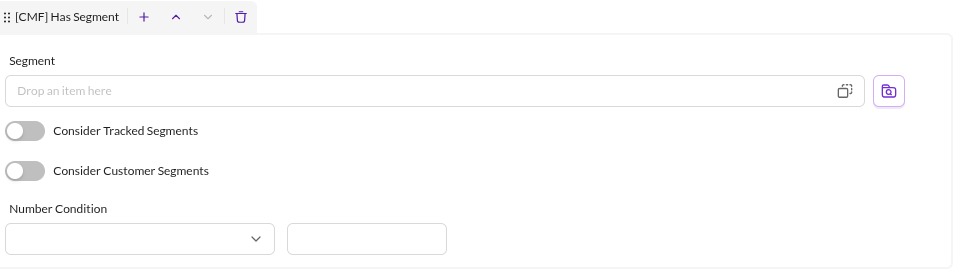
Condition [CMF] Has Segment
Checks whether the current user has the given segment assigned, from two supported data sources:
- Targeting storage with tracked segments (see action
[CMF] Track Segmentbelow). - The user profile's assigned segments.
Use the Consider Tracked Segments and Consider Customer Segments checkboxes to select which data sources to
check. The Has Segment condition can also check for a minimum count of segment assignments.

Condition [CMF] Customer Logged-In
Checks whether a user is currently logged in. It has no further configuration options.

Condition [CMF] Customer Segments have changed
Checks whether the segments of the currently logged-in user have changed. The condition does not match if no user is logged in. It has no further configuration options.

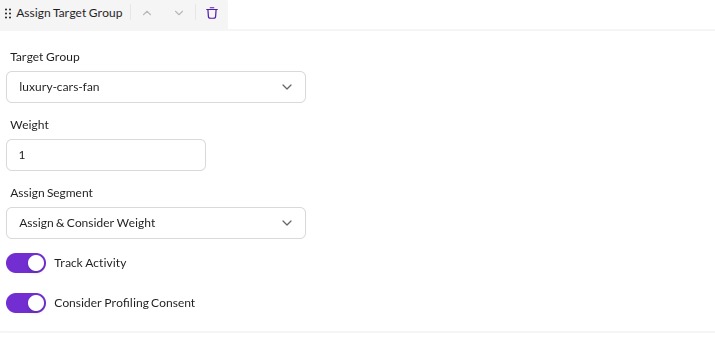
Action Assign Target Group
CMF extends the default Assign Target Group action with these options:
Assign connected Customer Segment to logged-in Customer: if a user is logged in and a segment object is connected to the given target group, assigns that segment to the customer object.Track Customer Activity to logged-in Customer: if a user is logged in, tracks an activity on the customer object, which further processing can then use.Consider profiling consent: if a user is logged in, checks the customer'sprofilingConsentattribute and skips the action unless it istrue.

Action [CMF] Track Segment
Stores the given segment in the current user's Targeting Storage. Other rules can use this information later, for
example with the Has Segment condition.


Action [CMF] Track Activity
Tracks an activity of the given Activity Type for the currently logged-in user. Does nothing if no user is logged
in.
Consider profiling consent: if a user is logged in, checks the customer'sprofilingConsentattribute and skips the action unless it istrue.


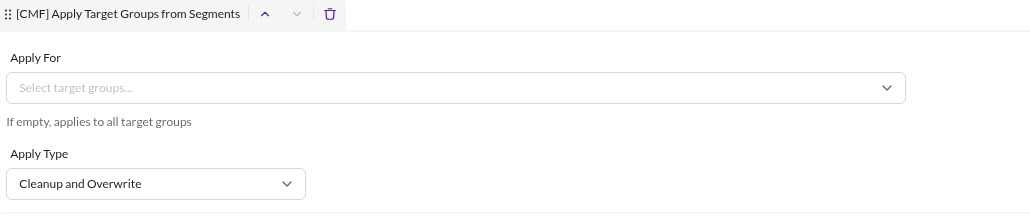
Action [CMF] Apply Target Groups from Assigned Customer Segments
Applies all of the currently logged-in customer's segments that are linked to a target group to the targeting engine. Use this to keep information stored on the customer object in sync with the targeting engine. These options control its behavior:
Forfilters which target groups to consider. Leave it empty to consider all target groups.Dosets one of three apply types:Cleanup and Overwrite: clears all considered target groups from targeting storage, then adds the target groups from the assigned customer segments, using each segment's application counter as its assignment count in targeting storage.Cleanup and Merge: clears all considered target groups from targeting storage, then adds the target groups from the assigned customer segments, but only raises the targeting storage assignment count when the segment's application counter is higher.Only Merge: merges target groups from the customer segments, raising the targeting storage assignment count only when the segment's application counter is higher.