Data Sources
Every import configuration reads from exactly one data source. Pick it in the Data Source step of the Data Setup tab, together with a matching file format.
Five of the six data sources pull data: the importer fetches the file when the import starts. Push is the exception,
it waits for data to be sent to it.
Asset
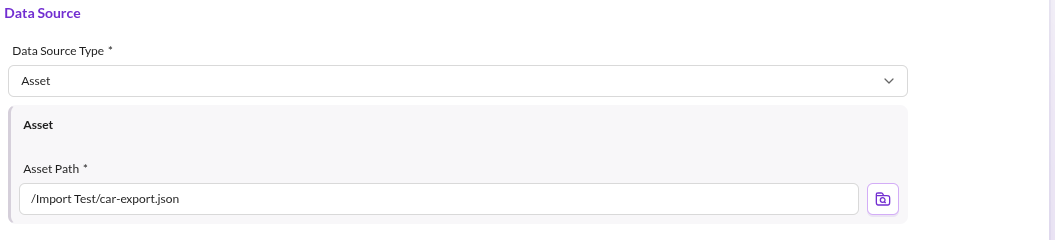

Loads data from an asset stored in Pimcore. Use it when another process drops the file into the asset tree.
Configuration options
- Asset Path: path of the asset to read.
Upload
Loads data from a file uploaded directly to the import configuration. Use it for one-off imports and to test a configuration before automating it.
Upload the file in the Data Source step. The panel shows whether a file is currently uploaded. Uploaded files are
stored outside the asset tree, under var/tmp/datahub/dataimporter/upload.
Configuration options
- Upload File: opens the upload dialog.
HTTP
Loads data from a remote HTTP location.
Configuration options
- Schema:
http://orhttps://, prepended to the URL. - URL: URL without the schema. The schema is kept separate for security reasons.
The loader uses PHP HTTP wrappers internally.
Do not put credentials into the URL. HttpLoader includes the full URL in the exception message it throws when a fetch
fails, so a user:password@example.com URL leaks the password into application logs and error reporting. For
authenticated endpoints, either expose the file through a mechanism that does not carry the secret in the URL, or
implement a custom loader that sends the credentials in a request header.
SFTP
Loads data from a remote SFTP location.
Configuration options
- Host
- Port
- Username
- Password
- Remote Path: absolute path on the remote location.
Push
Does not fetch anything. It exposes an HTTP endpoint that data is pushed to with a POST request, and every push starts an import.
Send the data in the configured file format as the raw body of the POST request. The loader reads it via php://input.
The endpoint is:
http(s)://<YOUR_DOMAIN>/pimcore-datahub-import/<IMPORT_CONFIGURATION_NAME>/push
Configuration options
- API Key: must be sent as the
authorizationheader on every push request. It has to be at least 16 characters long. - Ignore Not Empty Queue: by default an import only starts when the import queue of this configuration is empty, so pushing data while the queue still holds items returns an error. Enable this flag to queue the pushed data regardless. See Import Execution Details.
The Push data source cannot be started manually. An import is triggered only by a request to the endpoint.
SQL
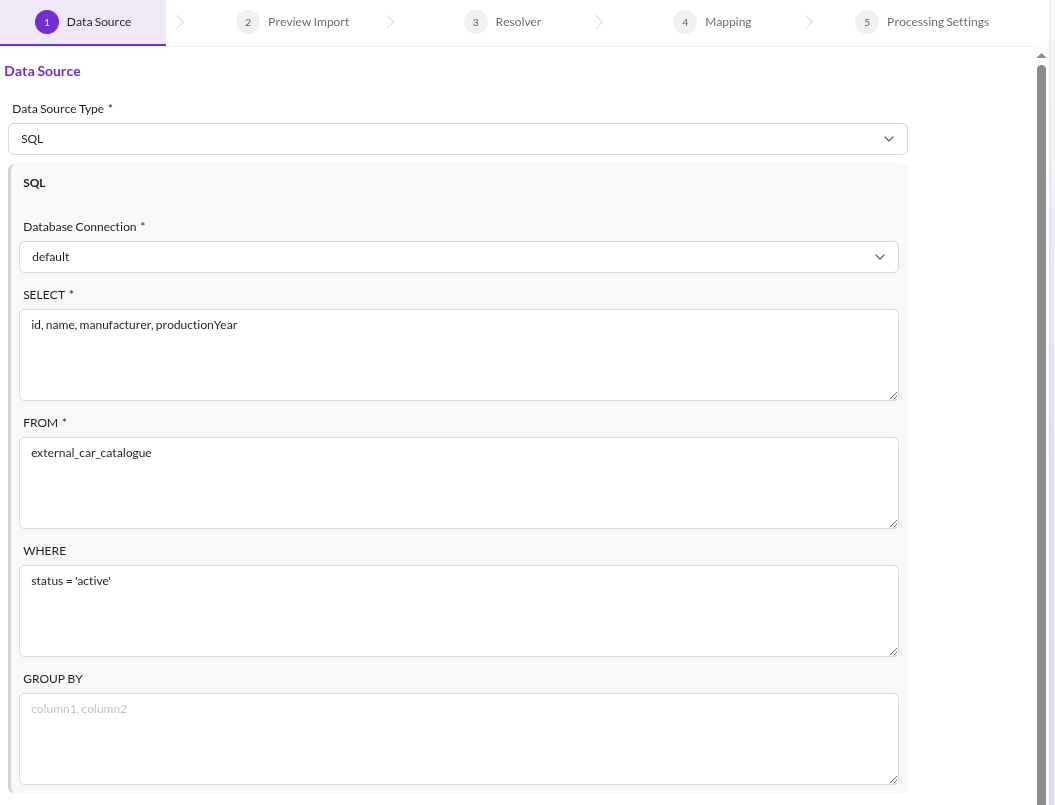

Loads data from a configured Doctrine connection. It uses
DBAL, so every database DBAL supports works, provided the
connection is declared in the Symfony configuration (conventionally database.yaml).
Example connection:
doctrine:
    dbal:
        connections:
            new_connection:
                host: db
                port: '3306'
                user: sample_user
                password: sample_password
                dbname: sample_dbname
                driver: any_supported_by_doctrine
Some drivers need additional configuration.
Configuration options
- Database Connection: the connection to read from.
- SELECT: a valid SQL
SELECTclause. - FROM: a valid SQL
FROMclause. - WHERE: a valid SQL
WHEREclause. - GROUP BY: a valid SQL
GROUP BYclause.
Select SQL as the file format as well. The SQL file format reads the query result of this data source.
Custom Data Sources
Add a data source of your own with a custom loader. See Custom Strategies.