Import Preview
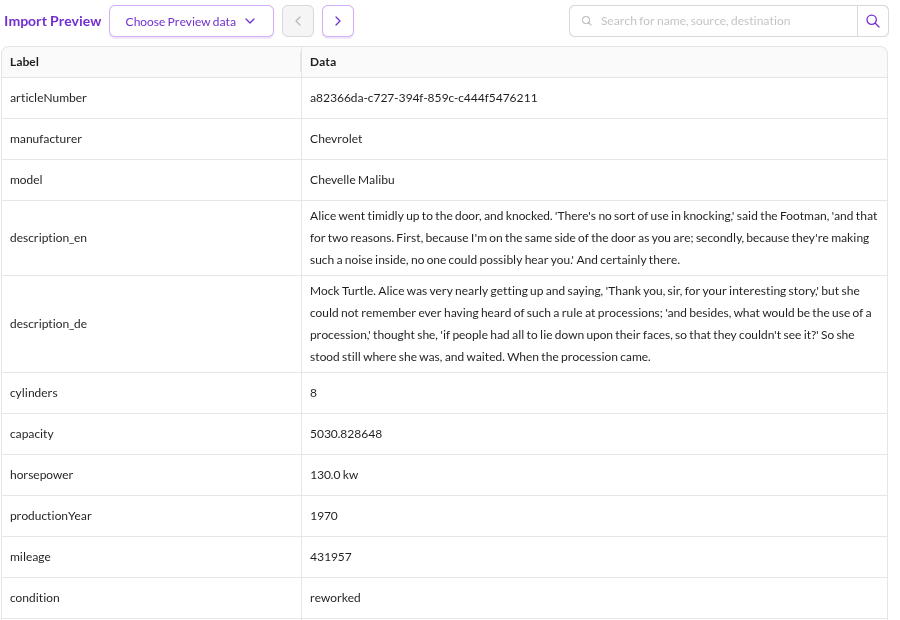
The import preview loads a small extract of the source data and shows one record at a time. Use it to check that the file format settings parse the data as expected, and to build the mapping configuration against real values.
The preview never writes to Pimcore.

Loading a Preview File
Two options are available in the Preview Import step:
- Upload file: upload a separate preview file.
- Copy from data source: copy the file the configured data source points at. Not available for the
Pushdata source, which has no file to copy.
Preview files are stored per user and per import configuration under var/tmp/datahub/dataimporter/preview. Both
options reject files larger than 10 MB. Keep the preview well below that: the whole file is parsed on every change.
Effect on the Rest of the Configuration
The preview record feeds the later steps:
- The parsed field names become the selectable source columns in the mapping step.
- The transformation pipeline shows the result of each operator for the currently displayed record.
Changing the file format settings reloads the preview file. Reloading it or paging to another record refreshes the transformation results as well.
If the preview file does not match the configured file format, the preview reports that the file is not valid for the configured interpreter. Re-upload or re-copy the preview data after correcting the format settings.