Data Target
The data target assigns the result of the transformation pipeline to a data object field. Which fields are selectable depends on the result type the pipeline produces: a pipeline returning a date cannot be assigned to a text field.
Four data target types are available.
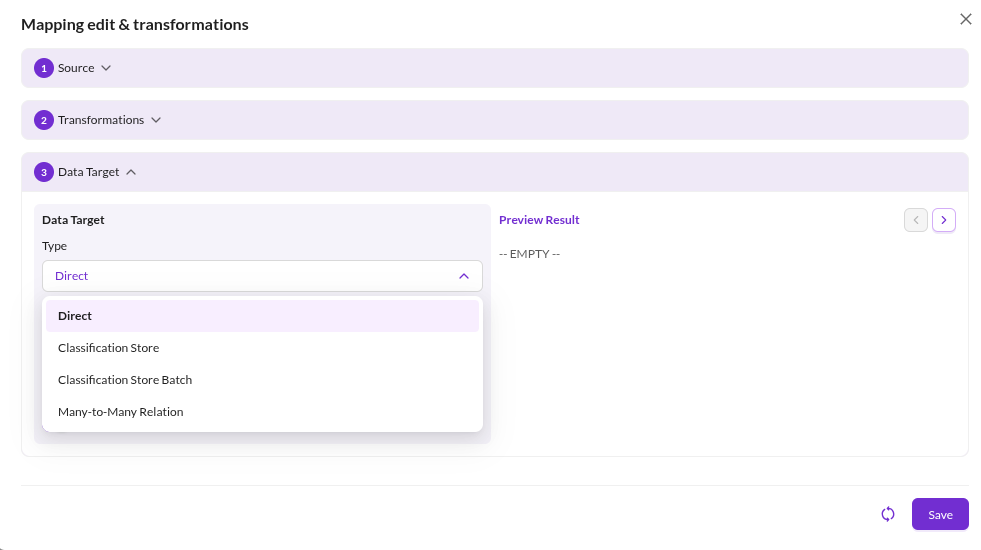

Direct
Assigns the value to a field of the data object class, to a localized field, or to an object brick field.
Object brick fields are addressed as <OBJECT_BRICK_FIELD>.<OBJECT_BRICK_TYPE>.<ATTRIBUTE>. The object key is addressed
as key.
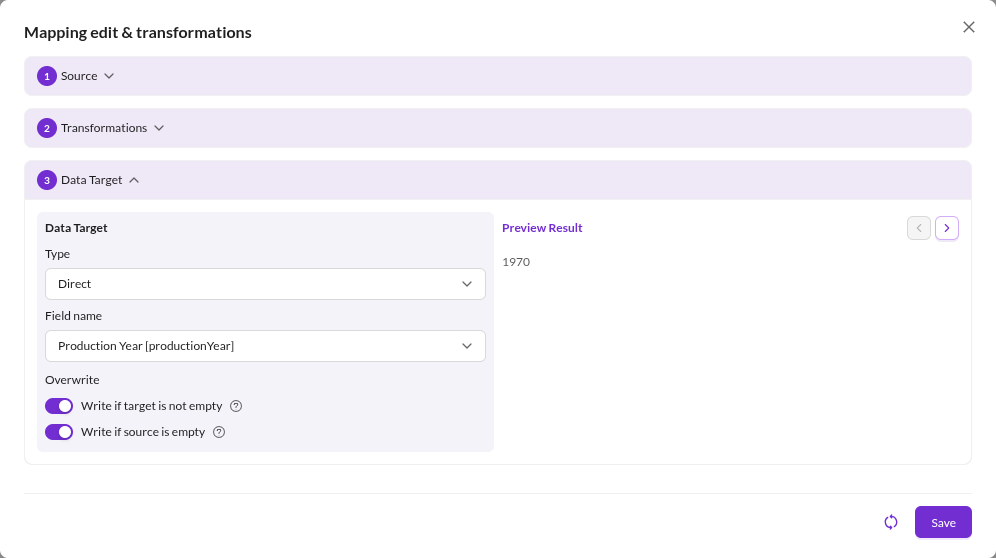

Configuration options
- Field Name: the target field.
- Language: for localized fields, the language to write.
- Write If Target Is Not Empty: enabled by default. Disable it to keep an existing value.
- Write If Source Is Empty: enabled by default. Disable it to prevent an empty source value from clearing the field.
Many-to-Many Relation
Assigns related elements to a relation field. Supported field types are manyToManyRelation,
manyToManyObjectRelation, advancedManyToManyRelation and advancedManyToManyObjectRelation. Assigning to any other
field type fails with a configuration error.
The transformation pipeline has to produce a result type of advancedDataObjectArray, dataObjectArray, assetArray
or advancedAssetArray, typically by ending in a Load Data Object or Load Asset operator.
Configuration options
- Field Name, Language, Write If Target Is Not Empty, Write If Source Is Empty: as for
Direct. - Overwrite Mode:
Replace(default): the imported relations replace the current ones.Merge: the imported relations are added to the current ones. Existing relations are kept, including relations to unpublished elements.
Classification Store
Assigns the value to one key of a classification store field.
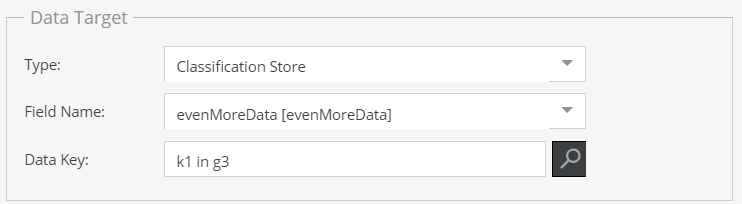

Configuration options
- Field Name: the classification store field.
- Classification Store Key: the group and key to write.
- Language: for localized keys, the language to write.
Classification Store Batch
Assigns many classification store keys with a single mapping entry. The transformation pipeline has to produce an array
keyed by <GROUP_ID>-<KEY_ID>, with the values to assign.
The result type must be array, quantityValueArray, inputQuantityValueArray or dateArray.
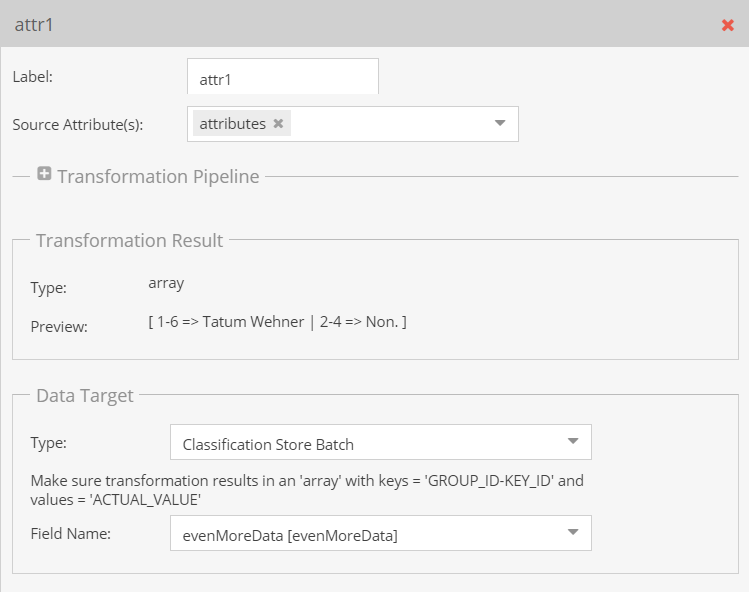

For the required data shape and worked examples, see Classification Store Batch Details.