Data Quality Configuration
This page explains how and where to configure data quality scores for Data Objects.
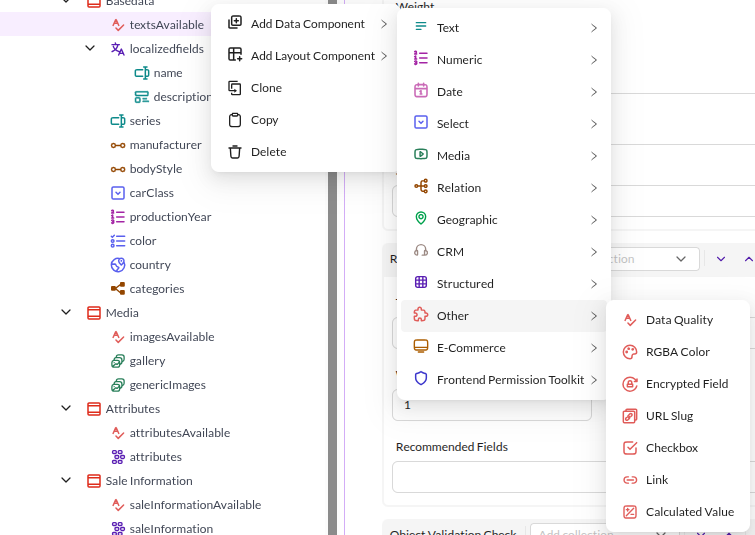
Add a data quality component to a Data Object class definition through the context menu
Add Data Component > Other > Data Quality.

Show in Tree

Controls whether the data quality score appears next to the object in the Data Object tree. A data quality component added in Pimcore Studio starts with the toggle off, so enable it explicitly.
Precondition
Use the Precondition field to narrow the scope of Data Objects for which the data quality score is shown, for
example to exclude unpublished Data Objects, or to calculate the score only for objects in a target folder.
If the precondition is not met, the data quality summary is hidden. The precondition accepts any valid Symfony Expression.
The Data Object is passed to the expression. Use object to build the expression.
The following precondition limits score calculation to published Data Objects:
//precondition example
object.getPublished() == true
Rule Definitions
Configure the rules used to compute the data quality score by selecting one or more rule definitions. Each selected rule definition is a constraint of one of the following types:
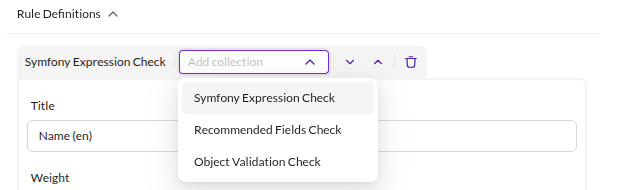

Weight determines the impact of a rule definition on the data quality score: a higher weight gives the rule
more influence over the resulting score. Every new rule definition starts with the same default weight.
Object Validation Check
Checks whether all mandatory fields are filled and all validation rules are respected (for example min/max values for numeric fields, or regular expressions for input fields).

When the check fails, it shows auto-generated suggestions to improve data quality in the object editor's
Data Quality Details tab.
Recommended Fields Check
Checks whether manually defined recommended fields are filled. Missing fields reduce the data quality score.
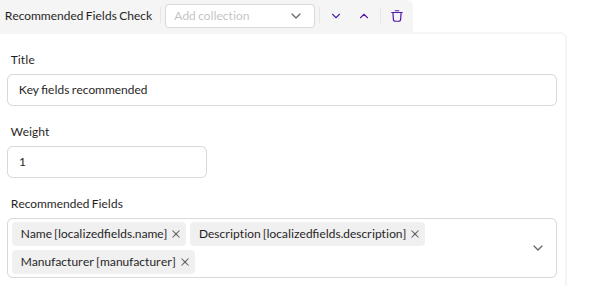

When the check fails, it shows auto-generated suggestions to improve data quality in the object editor's
Data Quality Details tab.
Symfony Expression Check
Evaluates a Symfony Expression against
the Data Object. Access the Data Object with object (for example object.getField1()).
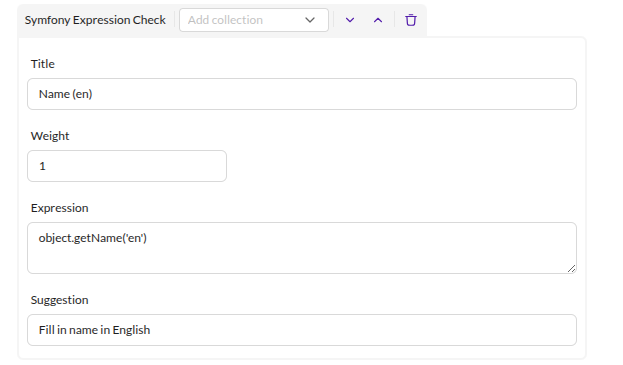

Add a suggestion that appears in the object editor's Data Quality Details
tab when the expression does not match.
Set the suggestions' translations in the Translations section of the Pimcore Studio main navigation, under the
dataQualityManagement domain. Saving the class definition registers every key listed in a rule's
fieldsToTranslate in that domain, so the entries are already there waiting for their translations.
The text a getter returns can differ from the text shown in the Data Object editor. For the Country field, for
example, the editor displays the full country name (such as "Austria"), but the getter returns only the country
code (such as "AT"). Match the Symfony expression to the getter's format, not the displayed text (use "AT", not
"Austria", for a Country check).