GraphQL
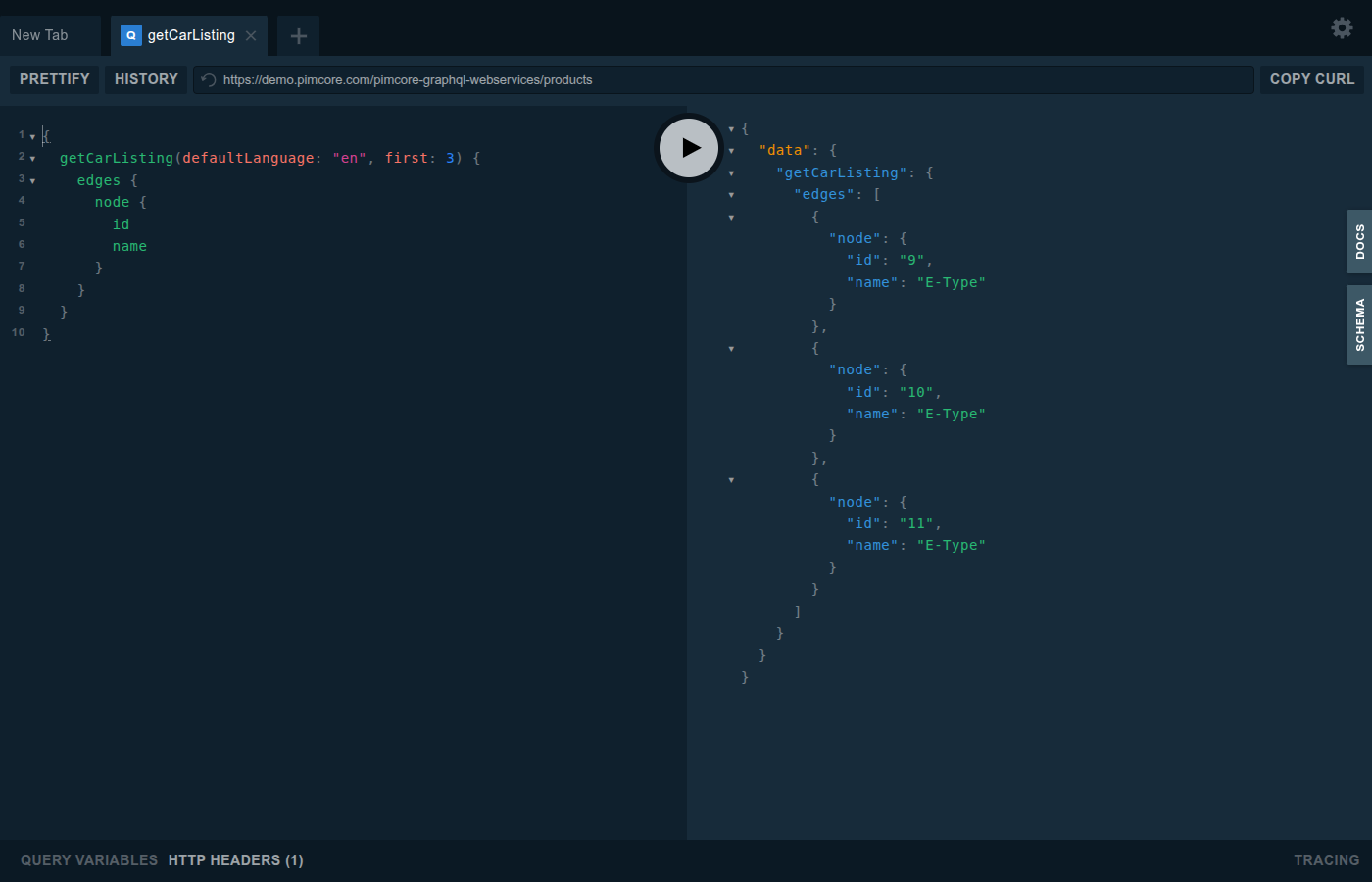
With GraphQL endpoints, Datahub allows integrating Pimcore to other systems and services via GraphQL and testing them right away in the integrated GraphQL Playground.

In the Playground, write a query on the left, run it, and the response appears on the right.

Configuration
Configuration takes place in the endpoint configuration and offers following possibilities:
Disabling GraphQL
Datahub is a requirement of other bundles, for example the Data Importer, so it is installed on systems that do not want to expose GraphQL at all. The adapter can be switched off in the Symfony configuration tree:
pimcore_data_hub:
    graphql:
        enabled: false
It is enabled by default. Once disabled:
- the endpoint
/pimcore-graphql-webservices/{configurationname}answers with404, regardless of the API key or whether a configuration is active, - the GraphQL Playground is no longer reachable,
- existing GraphQL configurations are no longer listed in Studio and can no longer be read, created, updated, cloned, imported, exported or deleted,
- GraphQL is no longer offered as a type when adding a configuration,
- Data Hub disappears from the Studio navigation entirely if GraphQL was the only adapter type installed. If another adapter bundle is installed, Data Hub stays reachable and only its GraphQL configurations become unavailable.
This is a system level switch and not a permission: it applies to every user, including admins. The
plugin_datahub_adapter_graphql permission stays assignable while the adapter is disabled, it simply
grants nothing. Existing configurations are kept untouched in the settings store and become available
again once the adapter is re-enabled.
If you only want to restrict who may work with GraphQL configurations, use the
plugin_datahub_adapter_graphql permission instead, see
User Permissions.
External Access
The API that Datahub exposes to other systems is this configured endpoint itself, not the Pimcore Studio API used by the configuration panel. The standard endpoint is
/pimcore-graphql-webservices/{configurationname}?apikey={yourApiKey}
So if your configuration name is blogdemo and your apikey 123456 then your endpoint would be
/pimcore-graphql-webservices/blogdemo?apikey=123456
Here is a configuration how to override the standard endpoint
Queries
Depending on the configuration, the endpoint provides several queries to fetch data from Pimcore. As Datahub always creates a proper graphQL schema, also have a look at the generated schema to get details for the possible queries of a certain endpoint.
On the following pages certain generic aspects are explained, and a couple of samples are listed:
- For details on Document queries see Document Query Documentation.
- For details on Asset queries see Asset Query Documentation.
- For details on DataObjects queries see DataObject Query Documentation.
- For details on how to add custom queries see Add Custom Queries Documentation.
Mutations
Depending on the configuration, the endpoint provides several mutations to update data in Pimcore. As Datahub always creates a proper graphQL schema, also have a look at the generated schema to get details for the possible mutations of a certain endpoint.
See following pages for a general overview of possible mutations:
- For details on Document mutations see Document Mutation Documentation
- For details on Asset mutations see Asset Mutation Documentation
- For details on DataObject mutations see DataObject Mutation Documentation
- For details on how to add custom mutations see Add Custom Mutations Documentation.
Hands-On Testing with the GraphQL Playground
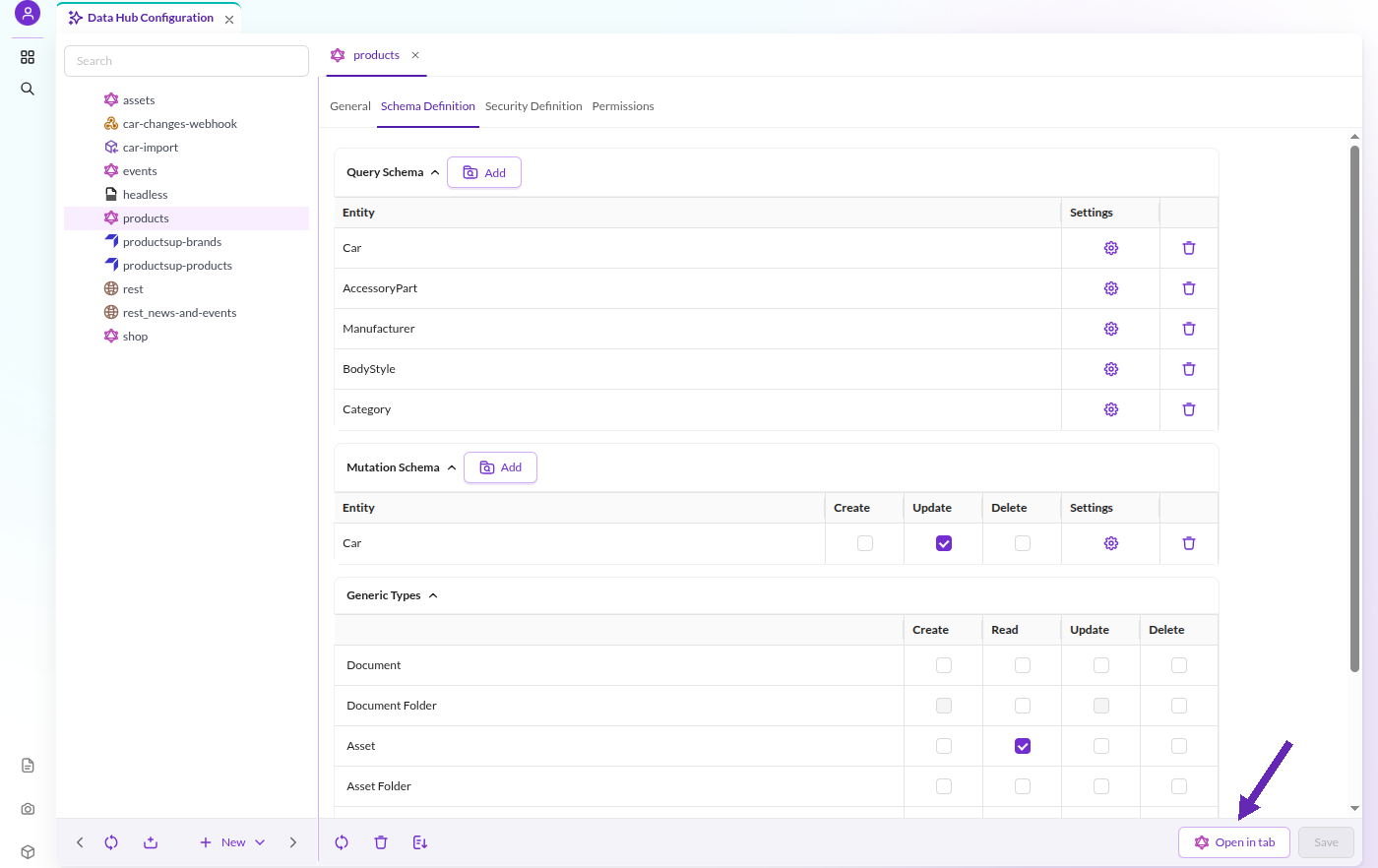
Open the GraphQL Playground for an endpoint with the Open in tab button in the configuration panel footer.

Events
It is possible to customize default behavior of graphQL endpoint with event listeners. For details see Events Documentation.
Output Cache
It is possible to keep a cache of the responses delivered by the endpoint, using the same default cache backend configured for Pimcore (Doctrine, Redis,...). This is specially useful to speed up the endpoint replies when it produces complex responses with many dependencies.
The cache can be enabled and configured with a configuration entry like this in your config.yml file:
#### DATAHUB OUTPUT CACHE
pimcore_data_hub:
    graphql:
        output_cache_enabled: true    # Enables/disables the output (responses) cache
        output_cache_lifetime: 20     # If enabled, for how many seconds each response will be cached
By default the cache is disabled but if it is enabled and you don't specify a value for output_cache_lifetime, its default value is set to 30 seconds.
Disable Output Cache for a Single Request (Only in DEBUG MODE)
Just add the parameter ?pimcore_outputfilters_disabled=true to the URL. This works in a similar way as the Pimcore's Full Page Cache.
Customize the Cache Behaviour
It is possible to customize some behavior of output cache with event listeners. For details see Events Documentation.
Note on Debugging With iGraphQL Playground
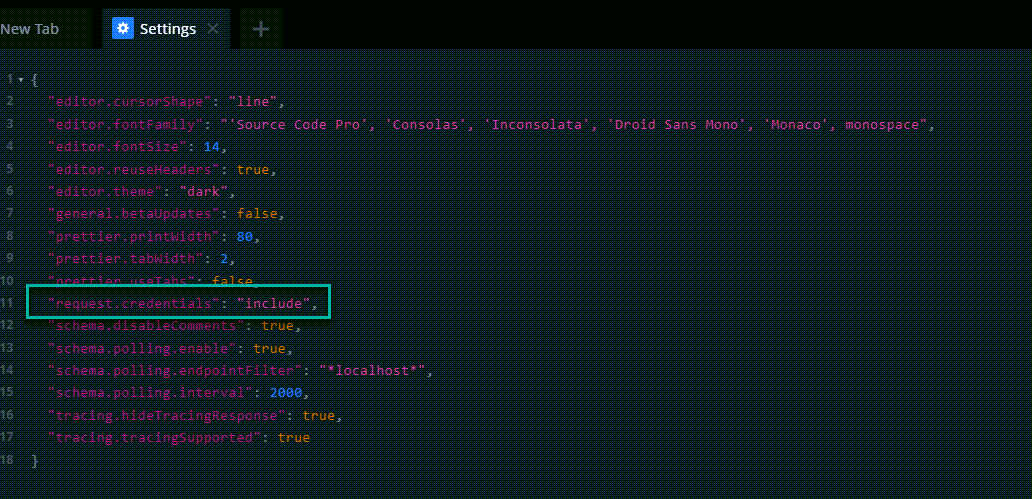
Open the settings and change request.credentials to include. Otherwise the
XDEBUG_SESSION cookie header will get removed by default.