Operators
Operators allow to modify and transform the data before it is delivered to the endpoint or stored in Pimcore, depending on whether they are used in a query or a mutation.
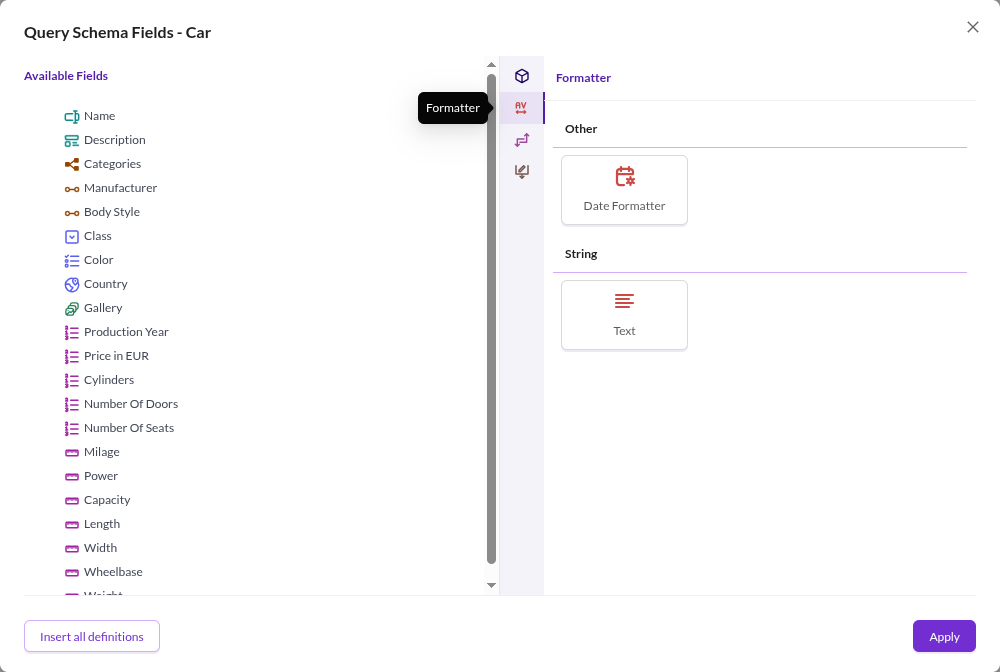

Operators are selected in the Schema Definition tab of a GraphQL configuration.
In the Query Schema section, use the gear icon to open the field configuration dialog for a data object class used in
queries. The Mutation Schema section works the same way for classes used in mutations.
The dialog lists the exported fields under Available Fields on the left. The panel on the right has a vertical icon strip: the first icon shows the class attributes, and the others group the operators. The query schema offers Formatter, Transformer and Other in that order; the mutation schema offers Other only.
Add an operator by dragging it onto the Available Fields side. Depending on the operator, an options dialog opens where you configure it. After adding an operator, drag fields under it to apply the operator to them.
See the pages in this chapter for the available operators.