Endpoint Configuration Details
Every Datahub configuration creates a separate endpoint with its own settings and its own data. The following configuration options are possible for each endpoint.
The API meant for other systems is the REST endpoint under /pimcore-datahub-webservices/simplerest, not the Studio
API that backs the configuration panel itself.
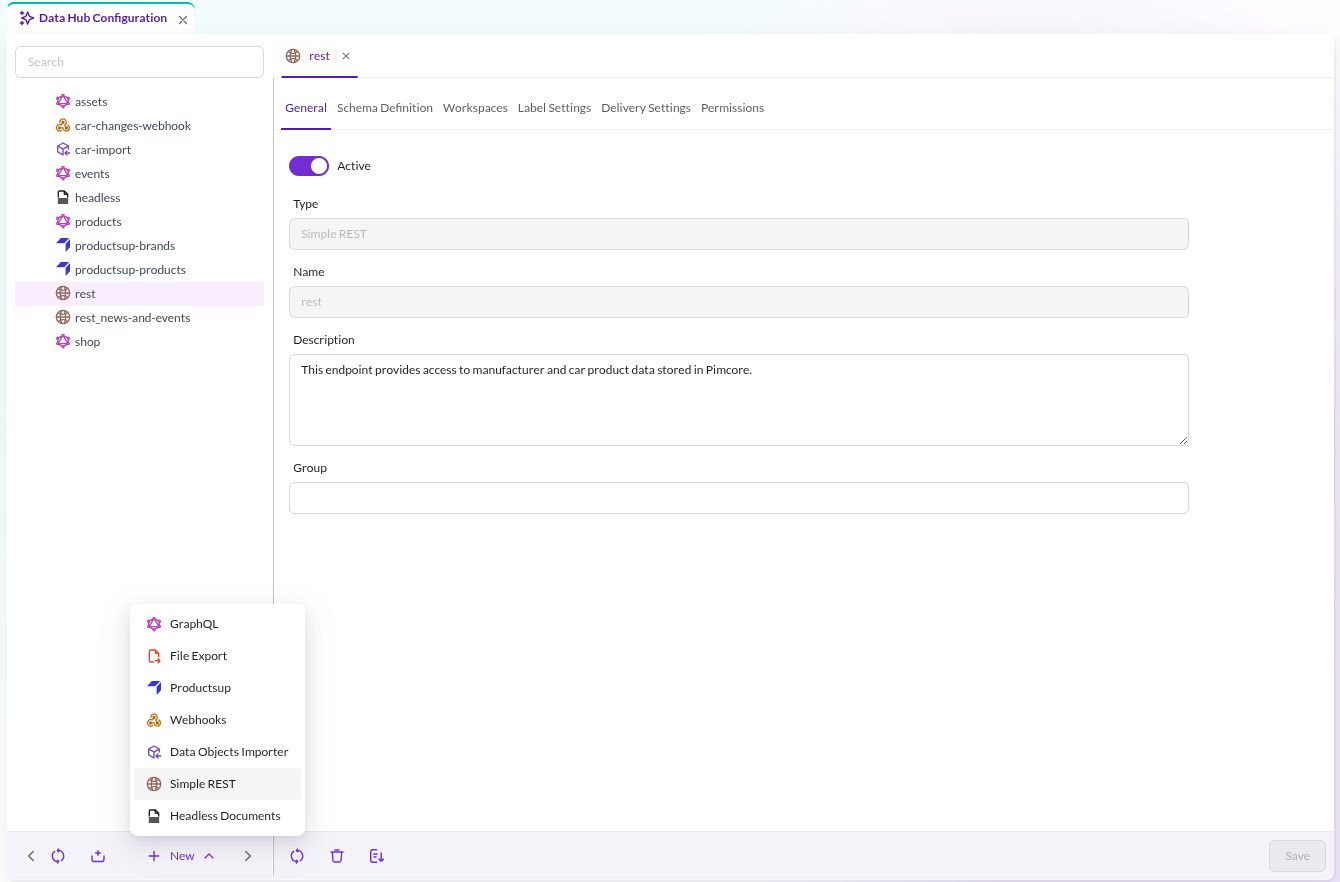
General
See type and name of configuration and define description and if the endpoint is active or not.

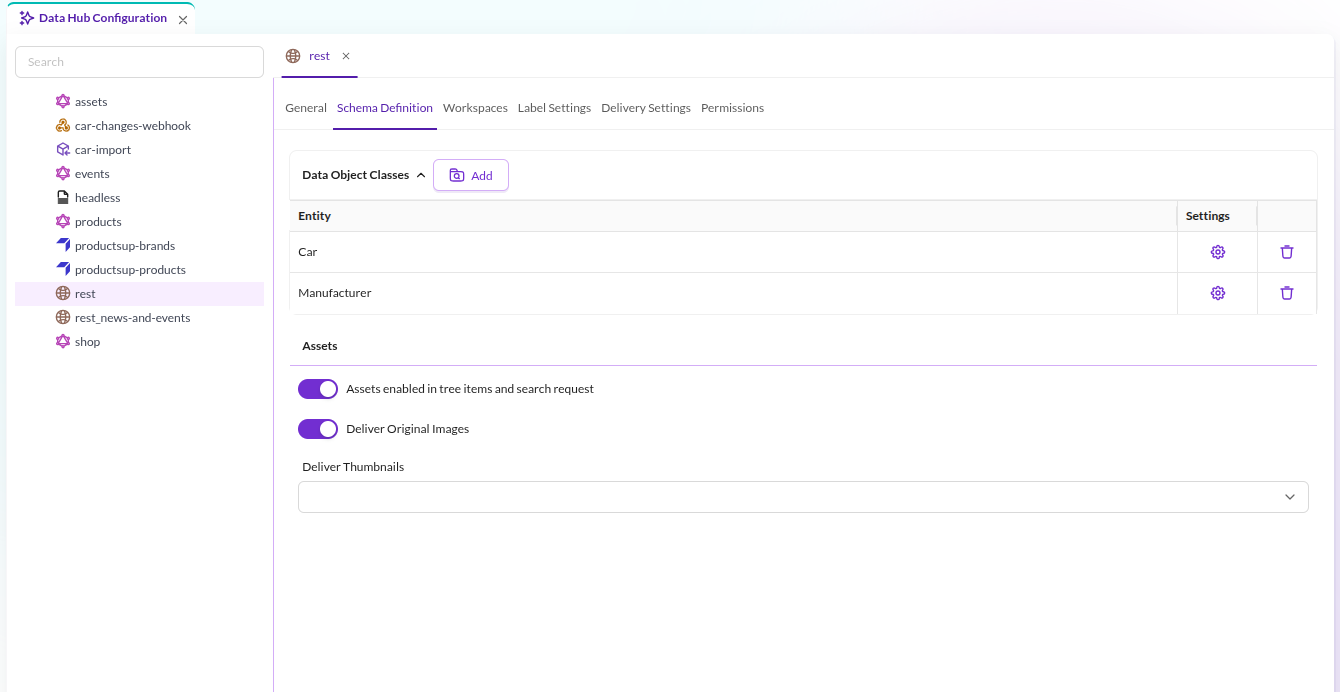
Schema Definition
Define available data entities and their schema (= available fields) for the endpoint. Also define if assets should be considered in tree items and search requests and if originals and/or what thumbnails should be used for delivery.
The asset settings govern delivery as well as indexing: the download-asset endpoint and the MCP asset
resources hand out only the variants configured here. With "Allow original image" switched off, the original
of an image cannot be downloaded, and only the thumbnails listed here can be requested by name. Assets that
the endpoint does not index at all cannot be downloaded through it either.
"Allow original image" applies to images only. For documents, videos and every other non-image type the endpoint publishes only the original, so it is always delivered, and asking for a thumbnail of such an asset is rejected rather than answered with the original.
Two caveats worth knowing:
- For SVG assets, Pimcore resolves a thumbnail whose configuration does not rasterize SVG to the original file, so publishing such a thumbnail also makes the original SVG bytes reachable even with "Allow original image" switched off.
- The variant settings are read from the current configuration, so changing them takes effect
immediately. The
binaryDataentries in search and MCP tool output come from the index and still list the previously published variants until the endpoint is re-indexed; those links are refused when followed. Workspaces behave differently on the two routes: the MCP asset resources re-check the workspace on every read, whiledownload-assetrelies on index membership, so a narrowed workspace only takes effect there once the endpoint has been re-indexed.

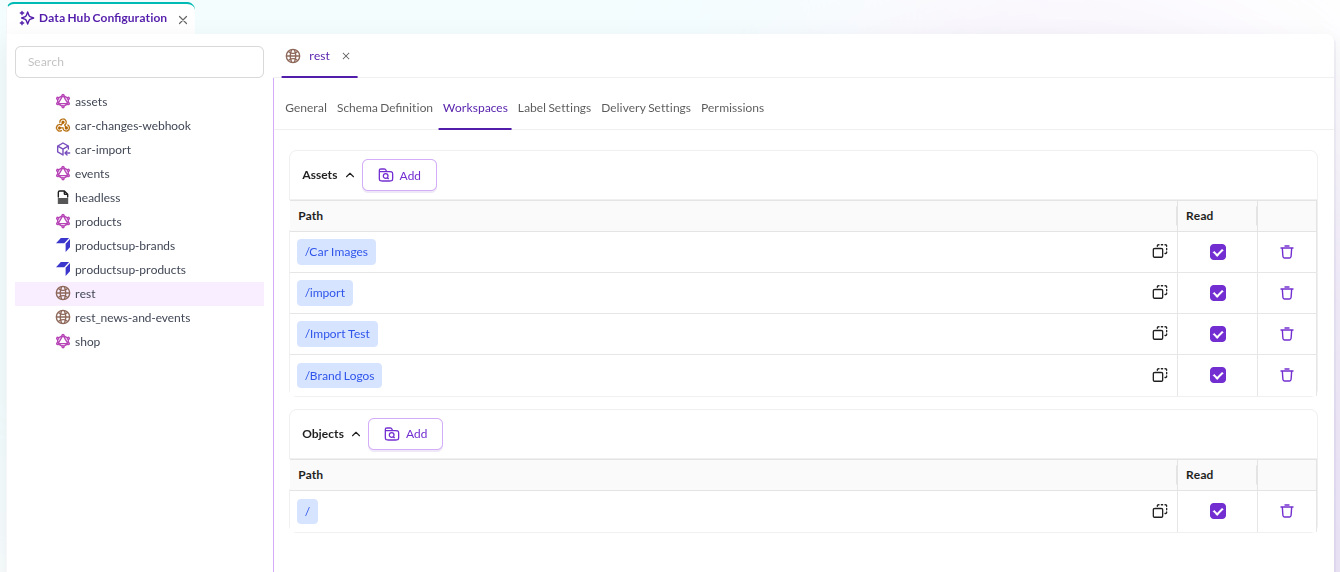
Workspaces
Define workspaces for assets and data objects and so manage what data should be actually exposed via the endpoint. It is possible to include and explicitly exclude folders.

Label Settings
Define nice looking labels for different languages for each field. Each request includes the labels for used fields in response in an additional data structure. They then can be used by the client application.
Additionally define what fields will be considered for aggregation calculation for facet navigation.
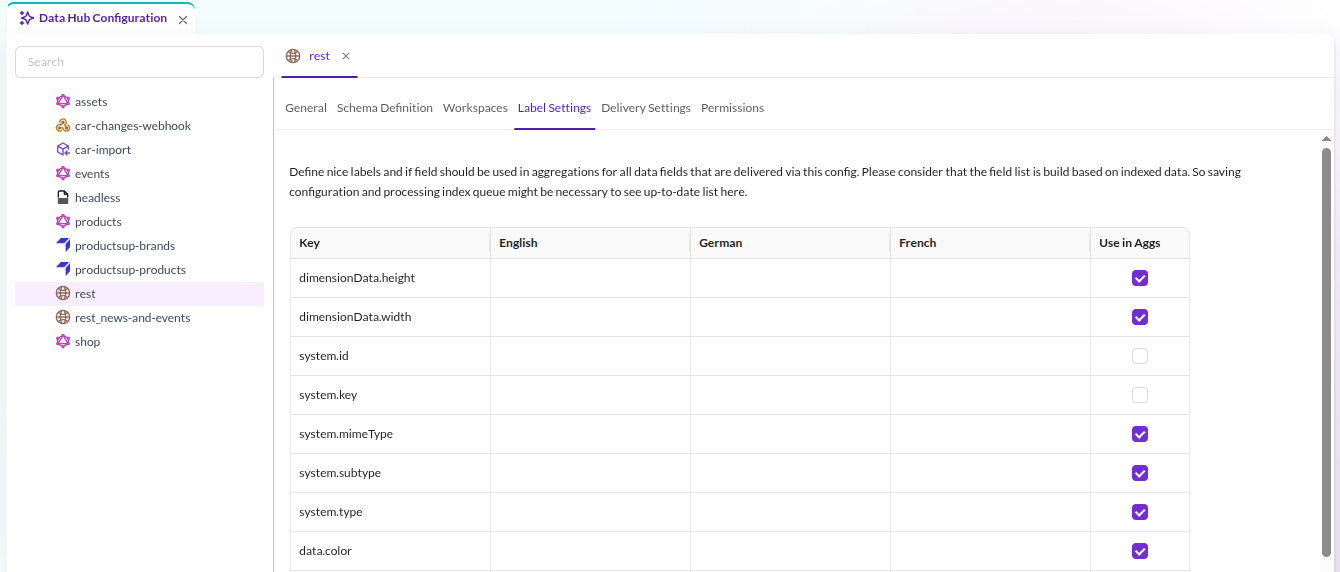

The field list is built from indexed data. Save the configuration and process the index queue to see an up-to-date list here. The current queue status is shown in the bottom toolbar of the configuration editor.
Delivery Settings
Define (or generate) an API key for securing the endpoint. This API key needs to be sent as security header with every request.
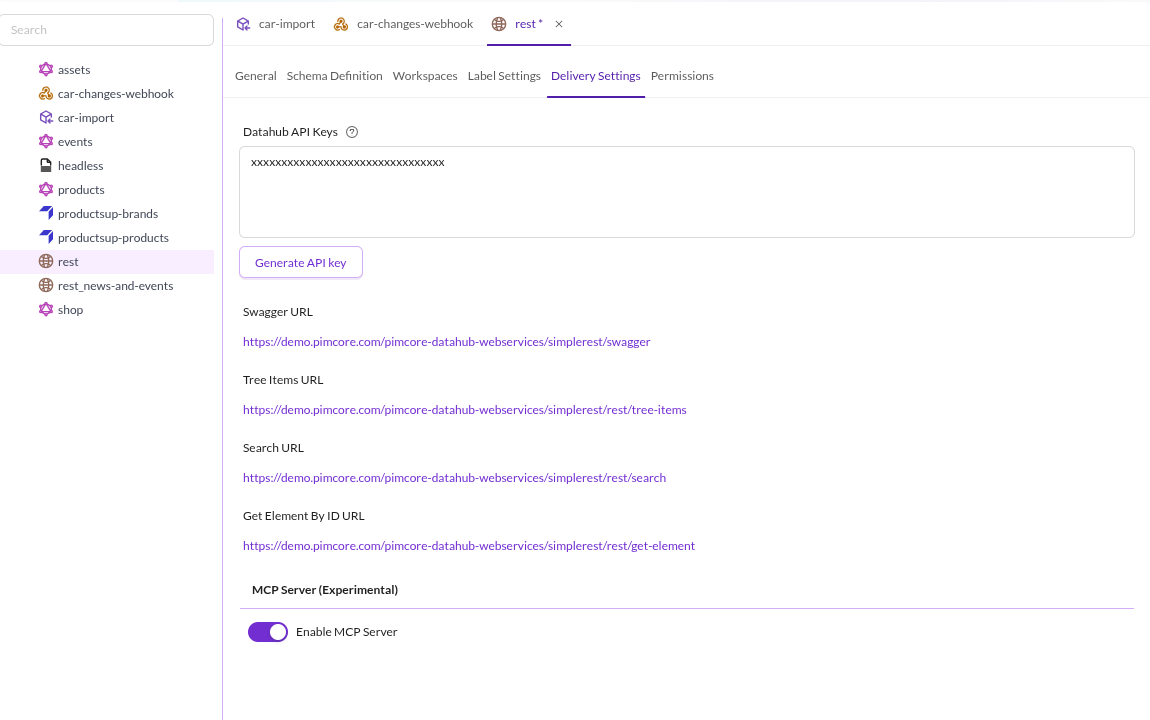

Optionally enable MCP Server to expose the endpoint to AI agents via Model Context Protocol. The same API key is used for both REST and MCP authentication. See MCP Server Integration for details.
The same tab carries an OAuth Access panel, for clients that sign a user in rather than hold a shared secret. Switch on Enable OAuth access and choose the Pimcore users and roles allowed to reach this configuration. An empty selection admits nobody, and an administrator is added to the list like anyone else. This one allow-list admits a user to the REST endpoints and the MCP endpoint alike, but the two are separate protected resources with separate audiences: a token minted for one is refused at the other, so a client integrating both runs the authorization flow once per surface. See OAuth access for how a client obtains a token, and for what the allow-list does and does not decide.
Swagger UI OAuth Authorization
The bundle ships a Swagger UI page, at /pimcore-datahub-webservices/simplerest/swagger, for browsing and trying
out the REST endpoints. By default its Authorize dialog only accepts a bearer token, so trying a request out
means pasting an endpoint's API key in by hand. Configuring an OAuth client adds OAuth sign-in to that dialog, letting
a user sign in through the embedded OAuth 2.1 authorization server and have Swagger UI attach the resulting token
itself.
Two settings, in two different bundles, have to be configured together and kept in sync:
In the Data Hub Simple REST bundle:
pimcore_data_hub_simple_rest:
    swagger_oauth_client_id: 'datahub-swagger-ui'
In the Studio Backend bundle:
pimcore_studio_backend:
    oauth:
        clients:
            datahub-swagger-ui:
                name: 'Data Hub Simple REST Swagger UI'
                redirect_uris:
                    - '<host>/bundles/pimcoredatahubsimplerest/swagger/oauth2-redirect.html'
<host> is the scheme and host the Swagger UI page is served from, for example https://your-pimcore-instance.com.
The redirect URI is matched exactly by the authorization server, so it has to be written out in full, path included.
swagger_oauth_client_id has to name one of the keys under pimcore_studio_backend.oauth.clients. Nothing cross
checks the two settings, so a mismatch between them leaves OAuth sign-in either missing or unable to complete.
Every client registered under pimcore_studio_backend.oauth.clients is a public client: it authenticates with the
authorization code grant and PKCE, and never a client secret. A page fetched into the browser cannot keep a secret,
so this is the only kind of client the setting can point to. The Swagger UI page turns PKCE on explicitly
(usePkceWithAuthorizationCodeGrant: true), because the bundled swagger-ui build otherwise leaves it off, and the
authorization server rejects a public client that skips it.
The requested scope is datahub:read, the same scope described for the MCP endpoint under
OAuth access; a token without it is refused with 403 insufficient_scope.
Swagger UI also has no field of its own for the RFC 8707 resource indicator the authorization server requires, so
the page adds resource as an extra query string parameter, naming this endpoint's REST resource so the issued
token is bound to it.
Signing in through Swagger UI is not, on its own, enough to call an endpoint: the signed-in user still has to be on
that configuration's OAuth allow-list, under Delivery Settings > OAuth Access; otherwise the call answers 403.
It is the same allow-list, backed by the same authorization server, described in
OAuth access; this section only covers getting OAuth sign-in to appear and
complete, not what it is then allowed to reach.
Leaving swagger_oauth_client_id unset, which is the default, does not disable OAuth or log a warning. Swagger UI
still loads and the API can still be browsed; OAuth sign-in is simply absent from the Authorize dialog, with nothing
to say why. The same happens while the authorization server is switched off, even with a client id configured.
The authorization server also supports Dynamic Client Registration (RFC 7591) and Client ID Metadata Documents, so
a client does not always have to be pre-registered by hand. The bundled Swagger UI page, however, is built to
authorize with a single, statically configured client id, so a pre-registered client under oauth.clients is the
option that works without writing additional code.