Template Configuration
A template configuration defines the content structure of a Headless Document: the editables it contains, their order, and the layout used to arrange them. Create the template configuration first, then add a Headless Document that uses it, see Headless Documents.
Template Configuration Interface
Users with the pimcore_headless_documents_config permission (see
Installation) manage templates directly in Pimcore Studio, under
Experience & E-commerce > Headless Documents > Headless Templates in the main menu.
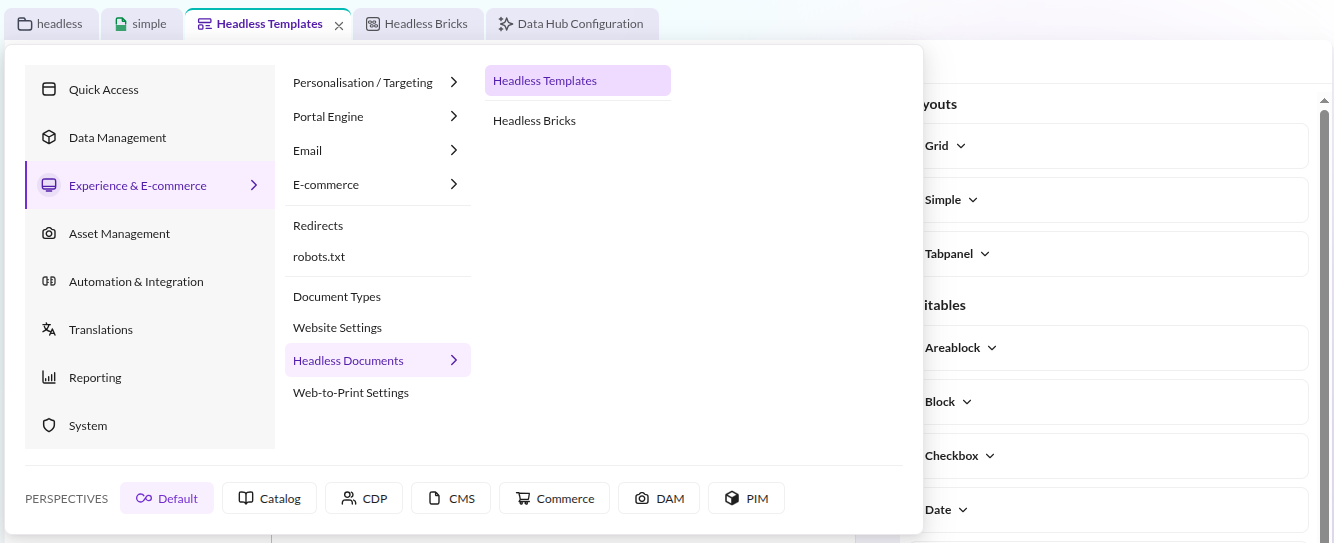

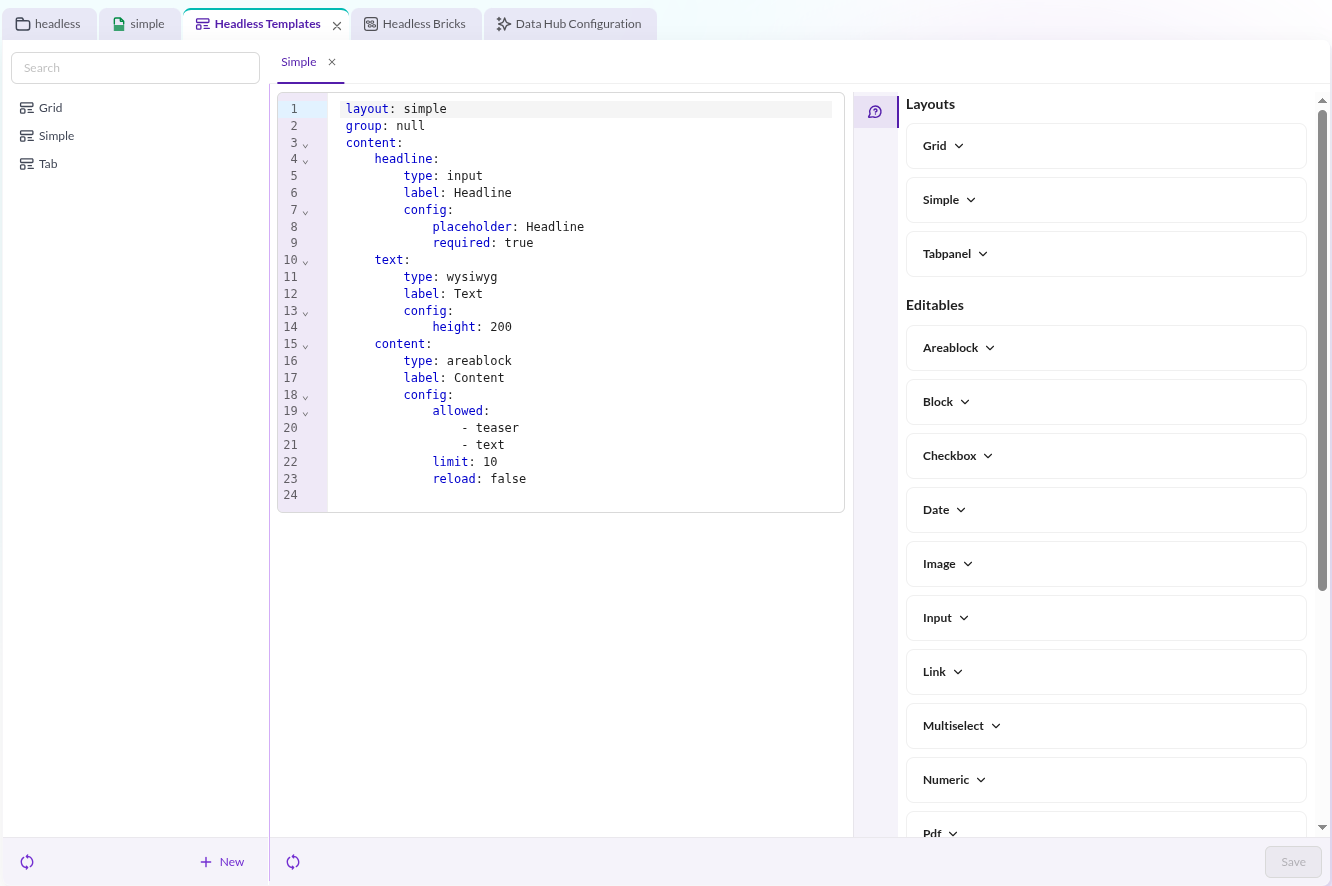
The interface adds new templates, edits existing ones, and shows inline help for every supported editable type and layout.

Configuration Structure
A template is a YAML structure with three top-level keys:
layout: the layout type used to arrange the editables. Defaults tosimpleif omitted.group: an optional label used to group templates in the Studio interface, see Grouping.content: the editables, keyed by name, in the order they render.
Each entry under content supports:
type: the editable type, for exampleinputorwysiwyg.label: the label shown above the editable in Pimcore Studio. Defaults to the entry name.config: editable-specific configuration, for exampleplaceholderorrequired.items: nested entries, used by container types such asblockorpanel.
pimcore_headless_documents:
    templates:
        example:
            content:
                headline:
                    type: input
                    config:
                        placeholder: 'Headline'
                        required: true

                selectTest:
                    type: select
                    config:
                        store:
                            - ["one-month", "One month"]
                            - ["three-months", "three-months"]
                            - ["unlimited", "unlimited"]

                mainContent:
                    type: wysiwyg
                    config:
                        height: 200

                images:
                    type: block
                    items:
                        image:
                            type: image
A special editable type, areablock, dynamically adds bricks of editables to the
document. It works the same way as the Areablock of standard Pimcore documents.
Supported Editable Types
A content entry's type accepts any of Pimcore's built-in document editable types, or a custom editable type
registered the standard way. The inline help panel in the Studio interface lists example configuration for the most
common ones:
areablock, block, checkbox, date, image, input, link, multiselect, numeric, pdf, relation,
relations, select, table, video, wysiwyg.