Translation Jobs Dashboard
Dashboard to see all translation jobs and manually trigger workflow transitions of single jobs. Open it in Pimcore Studio under Translations > Translation Provider Integration > Translation Jobs Queue.
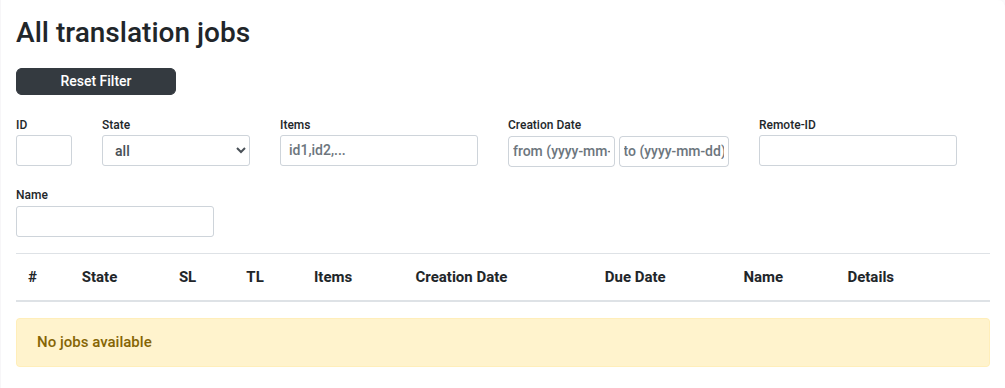

Filter the list by ID, state, contained items, creation date, remote ID or name. Each row shows the job ID, its state,
the source language (SL) and the target languages (TL, comma separated), the items it contains, creation and due
date, the submission name and a link to the job details.
A job moves through the workflow states open, submitted, received, received_partially, processed and
cancelled. The state filter additionally offers ignored and failed, which a job can carry outside the workflow.
The actions offered on a row depend on its current state, so an open job can be submitted or deleted, a submitted job
can be received or cancelled, a received job can be processed, and a failed job offers Reset Error.
Error Simulation
When Pimcore runs in debug mode, the dashboard shows an Enable Error Simulation button. Once activated, every request to the translation provider fails, which lets you exercise the error handling. Click Disable Error Simulation to turn it off again.