Warning: You are browsing the documentation from version 4 to 10 of Pimcore.
Please visit https://pimcore.com/docs/platform/ for the latest versions of Pimcore.
Version:
Setup - Delivery endpoint
The delivery endpoint uses cached items, so you have to set up a command which calculates these cached items on a
regular basis. If you have set the save hook to Deliver directly on save you can omit this step, but
it is recommended to set up the process because you can rebuild the cache table with it.
The command can be setup and executed directly as cronjob by just executing the datahub:export:productsup command (for details
see --help option) or can be setup via ProcessManger.
Execution via Process Manager
To set up the calculation job you just have to add a Pimcore Command job with the command datahub:export:productsup.
Export process
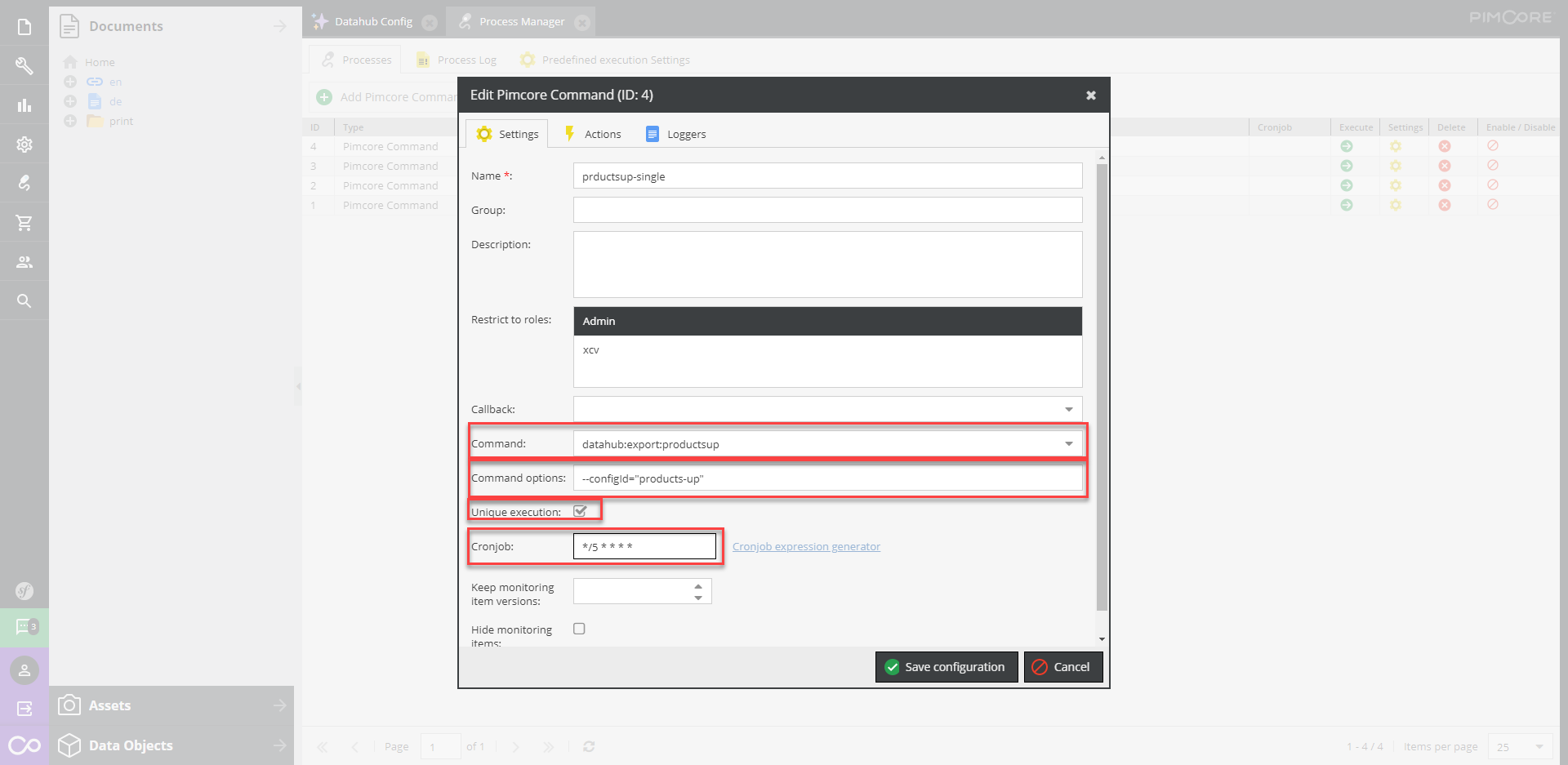
- In the
Command optionsfield you can provide the DataHub configuration name/id asconfig-idparameter, e.g.--config-id="products-up. If noconfig-idis provided, all configurations of typeproductsupwill be exported. - By default, a full export is done. If you only want to export the changed items you can add the option
--only-queue-items. - If you have a lot of data to export, you can use the multiprocessing option. Therefore you can add the parameter
--processes=5 --batch-size=50.-
processesdefines the max number of processes which should be executed simultaneously. -
batch-sizesdefines the amount of items which should be processed per process.
-
Loggers