Work with Workflow Automation Integration
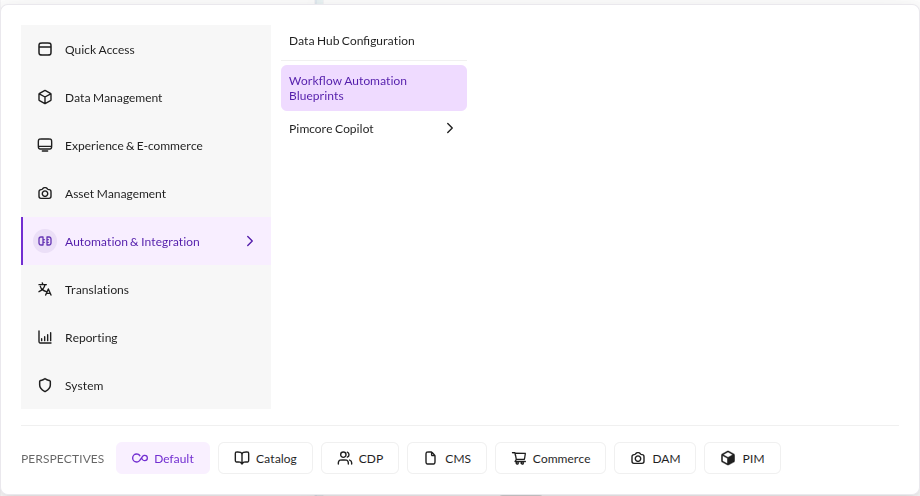
Open Automation & Integration > Workflow Automation Blueprints from the main menu in Pimcore Studio. The entry
requires the wai_configuration_permission permission, see
Installation.

Download Automation Blueprints
The Workflow Automation Blueprints view lists the active
GraphQL and
webhook endpoints configured in Pimcore
Datahub that the user is allowed to read. A configuration only appears if at least one blueprint can be built from it:
- For GraphQL endpoints, the
Query Schemamust contain at least oneEntity, or theMutation Schemamust haveUpdateenabled for an entity or for assets. - For webhook endpoints, the configuration must have a
Schemadefined forData Objectand listen to at least one of thepimcore.dataobject.postAddandpimcore.dataobject.postUpdateevents.
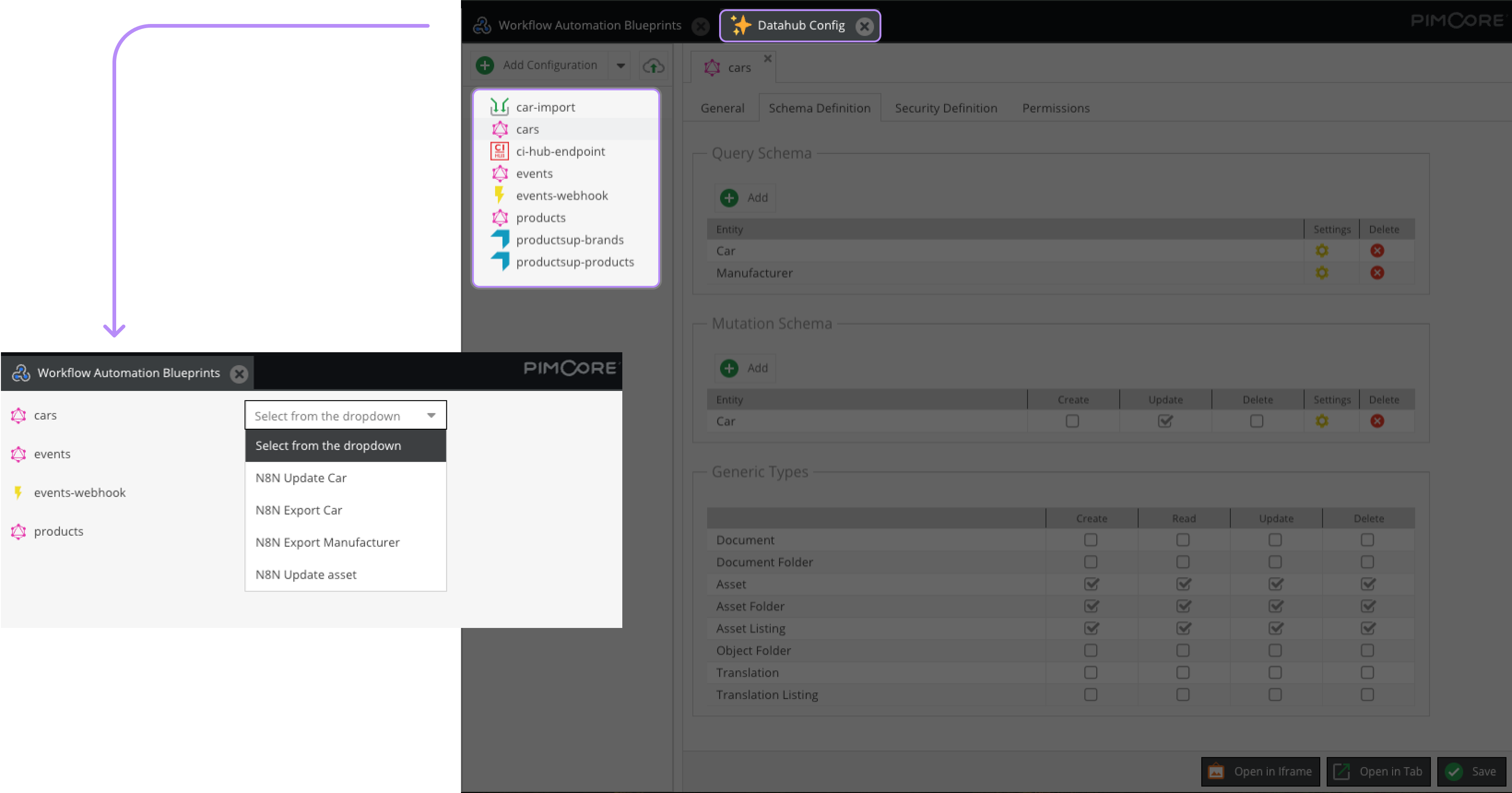

For each item in the list, you can download automation blueprints in a JSON file - that you can further import and execute in n8n - from the right dropdown menu.
The options available in this menu depend on your endpoint's type and Schema Definition.
GraphQL Blueprints
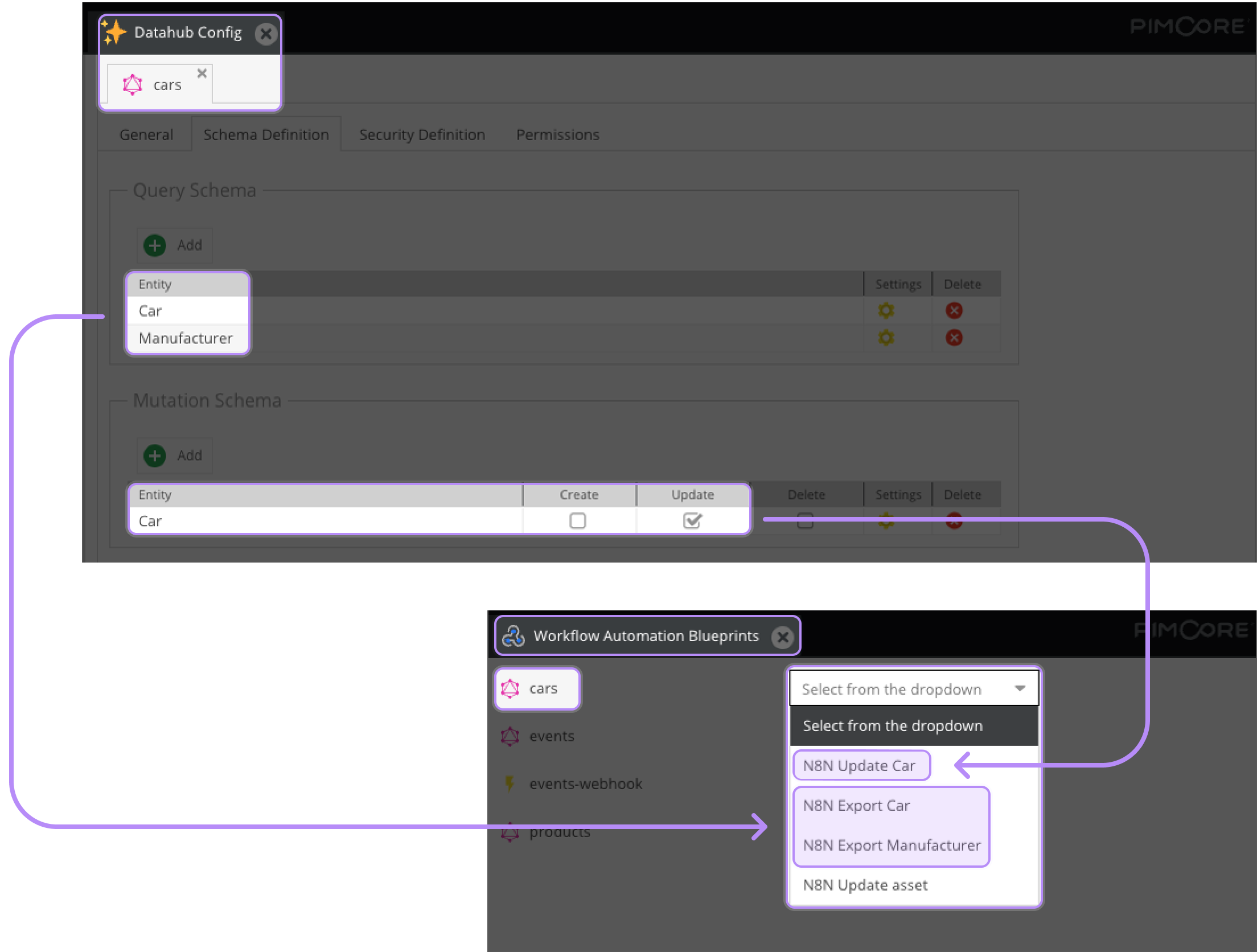
For a GraphQL endpoint you can download blueprints to:
n8n Export *Object*: Export the attributes of Data Objects corresponding to anEntitydefined in yourQuery Schema in a spreadsheet. A workspace with
 Readpermission must be defined for Data Objects inSecurity Definition.
The export only picks up Query Schema columns whose data type is one of the following. Localized fields are included
when their underlying data type is in the list. Operator columns and columns addressing nested structures (object
bricks, field collections, classification store) are skipped, and every other attribute of the Query Schema is left
out of the resulting spreadsheet.
- System fields, for example ID and Key/Path
- Input
- Textarea
- WYSIWYG
- Select
- Number
- Checkbox
- Date
- Date & Time
- Time
n8n Update *Object*: Update the first text field of Data Objects corresponding to anEntitylisted in yourMutation Schemawith theUpdateoption enabled. The blueprint appends_edited_by_N8Nto the current value. A workspace withUpdatepermission must be defined for Data Objects inSecurity Definition.n8n Update Asset: Update the first text (input) metadata field of Assets. This option appears whenUpdateis enabled forAssetin theGeneric Typessection of theSchema Definition. The blueprint appends_updated_by_N8Nto the current value. A workspace withUpdatepermission must be defined for Assets inSecurity Definition.

Webhook Blueprints
For a Data Objects-focused webhook endpoint, you can download a Process Item blueprint to listen to your webhook, update your Objects' first text attribute and write the corresponding data in a spreadsheet.
Your webhook Datahub configuration needs:
- to have an
Entitydefined inSchema Definition Data Objects; - to listen to
pimcore.dataobject.postUpdateorpimcore.dataobject.postAdd.
When downloading your automation blueprint, add a valid webhook URL of your n8n instance in the
related field. The URL is validated against
^(https?:\/\/)([a-zA-Z0-9.:\/-]+)(\/webhook|\/webhook-test)$ and therefore consists of:
- the
http://orhttps://protocol; - the host name of your n8n instance, optionally with a port and a path;
- a trailing
/webhookor/webhook-testsegment, with no slash after it. n8n uses/webhook-testfor testing.
For example, a webhook URL could be: https://pimcore.com/non-example/webhook-test.