Warning: You are browsing the documentation from version 4 to 10 of Pimcore.
Please visit https://pimcore.com/docs/platform/ for the latest versions of Pimcore.
Version:
Edit on GitHub
Link Editable
General
The link editable is used for dynamic link creation in documents.
Configuration
You can pass every valid attribute an <a>-tag can have (w3.org - Link),
such as: class, target, id, style, accesskey, name, title, data-*, aria-* and additionally the following:
| Name | Type | Description |
|---|---|---|
reload |
boolean | Set to true to reload the page in editmode after changing the state. |
textPrefix |
string | Add an icon or something else before Text |
textSuffix |
string | Add an icon or something else after Text |
noText |
boolean | If you need only the tag without text (or only with an textSuffix/TextPrefix) |
Methods
| Name | Return | Description |
|---|---|---|
getHref() |
string | Get the path of this link |
getText() |
string | Get the text of the link |
getTarget() |
string | Get the target of the link |
getParameters() |
string | Get the query params of the link |
getAnchor() |
string | Get the anchor text of the link |
getTitle() |
string | Get the title of the link |
getRel() |
string | Get the rel text of the link |
getTabindex() |
string | Get the tabindex of the link |
getClass() |
string | Get the class of the link |
getAccessKey() |
string | Get the access key of the link |
isEmpty() |
string | Whether the editable is empty or not |
Examples
Basic Usage
<p>
    {{ "Visit our" | trans }}
    {{ pimcore_link('blogLink') }}
</p>
You could see the backend preview in the picture, below.
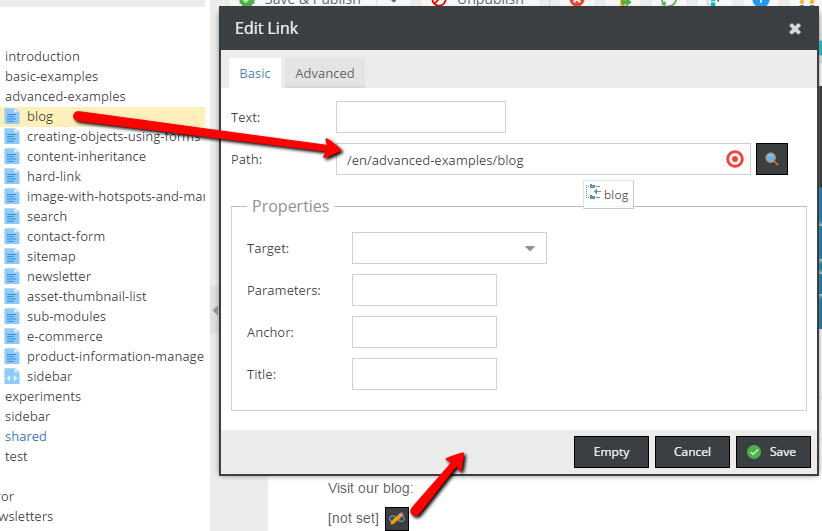
And the frontend:

Use Link in the Block Editable
Let's see how to make a list of links with Block.
<h3>{{ "Useful links" | trans }}</h3>
<ul>
    {% for i in pimcore_block('linkblock').iterator %}
        <li>{{ pimcore_link('myLink', {'class': "special-link-class"}) }}</li>
    {% endfor %}
</ul>
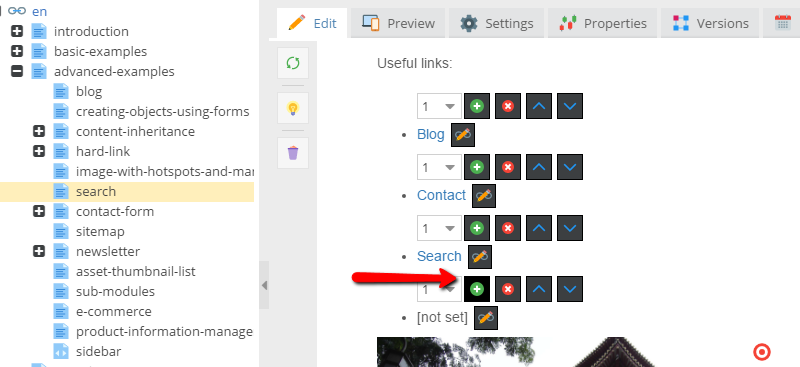
The above example renders a list of links:
Link Generators
Please also see the section about Link Generators